

About

I approach every problem like it is a puzzle to solve. My background spans content creation, internet marketing, community building, real estate, renewable energy, AI-powered tools, events, and public-facing storytelling.

I build projects, experiences, and products using AI tools. I especially like hardware experiments, classic computers, e-ink devices, tiny models, and playful interfaces that make technical work feel tangible.

I have 13+ years of experience in content creation and internet marketing, have built and led large online communities, and have won four hackathons using vibe coding since August 2025.

For work, collaborations, sponsorships, events, or project ideas, email maddie@maddiedreese.com.

Projects

Tacket

June 2026 / @maddiedreese

Tacket

GitHub: Tacket moves complete AI chat threads into coding agents without turning them into summaries. It is a local-first Mac app with a Chrome extension for ChatGPT, Claude, and Gemini. Click the extension on a supported chat page, save the full thread as a local .tacket bundle, search your saved transcript library, then transfer the raw transcript into Codex or Claude Code. Tacket is free and open source, with no accounts, analytics, telemetry, or backend that can see your chats. Tacket is still in essence pre-release.
Website: Tacket gives individual AI chats a place to live after the chat window is gone: searchable local files, reusable browser transcripts, exact local imports, reviewed desktop app captures, and one-click transfer to Codex, Claude Code, or your clipboard. macOS is available now, and Windows support is planned next.
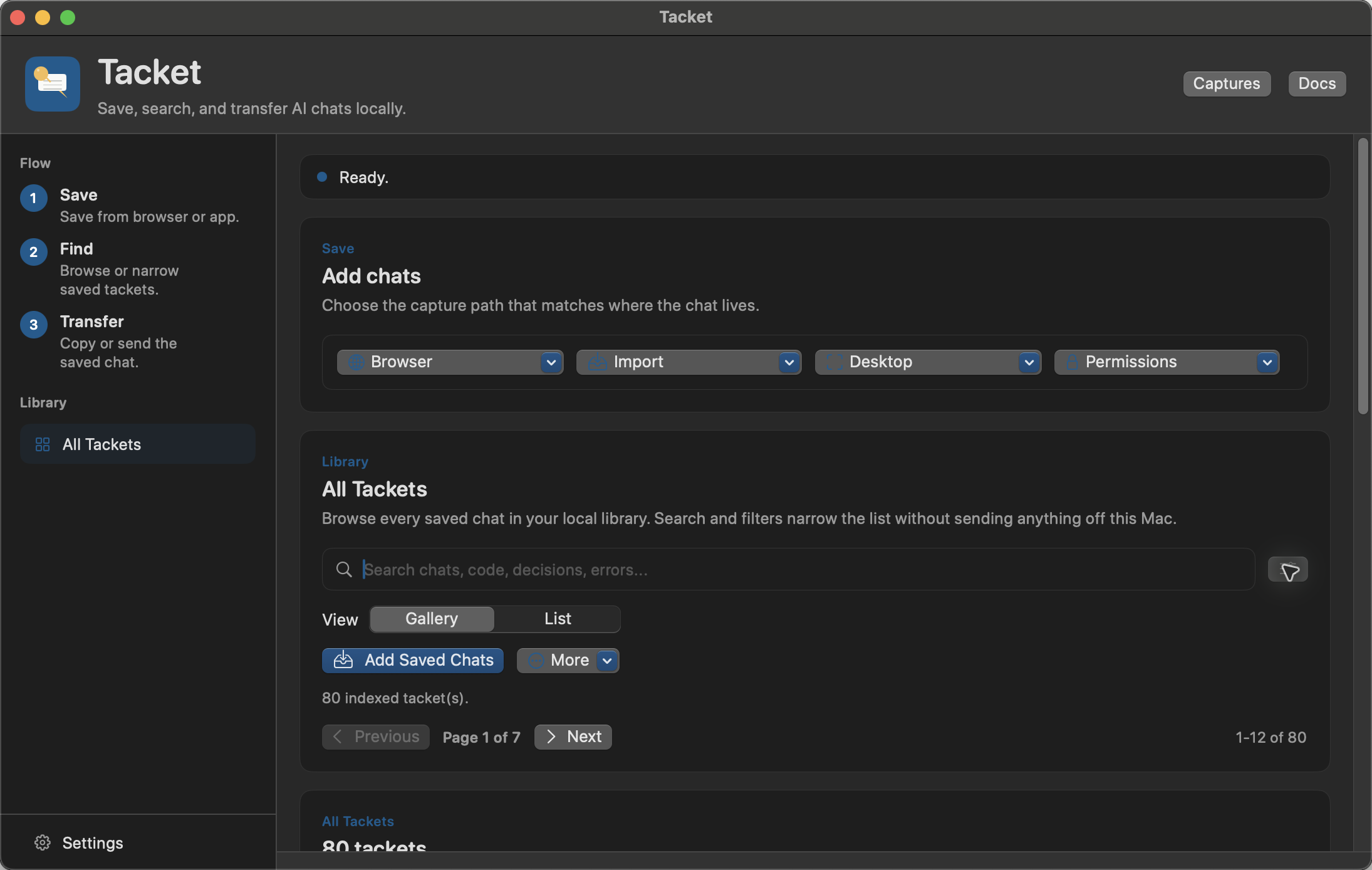
Tacket Mac app library screenshot
Tacket Mac app library

Ticket Printer OS

November 2, 2025 / @maddiedreese

Ticket Printer OS

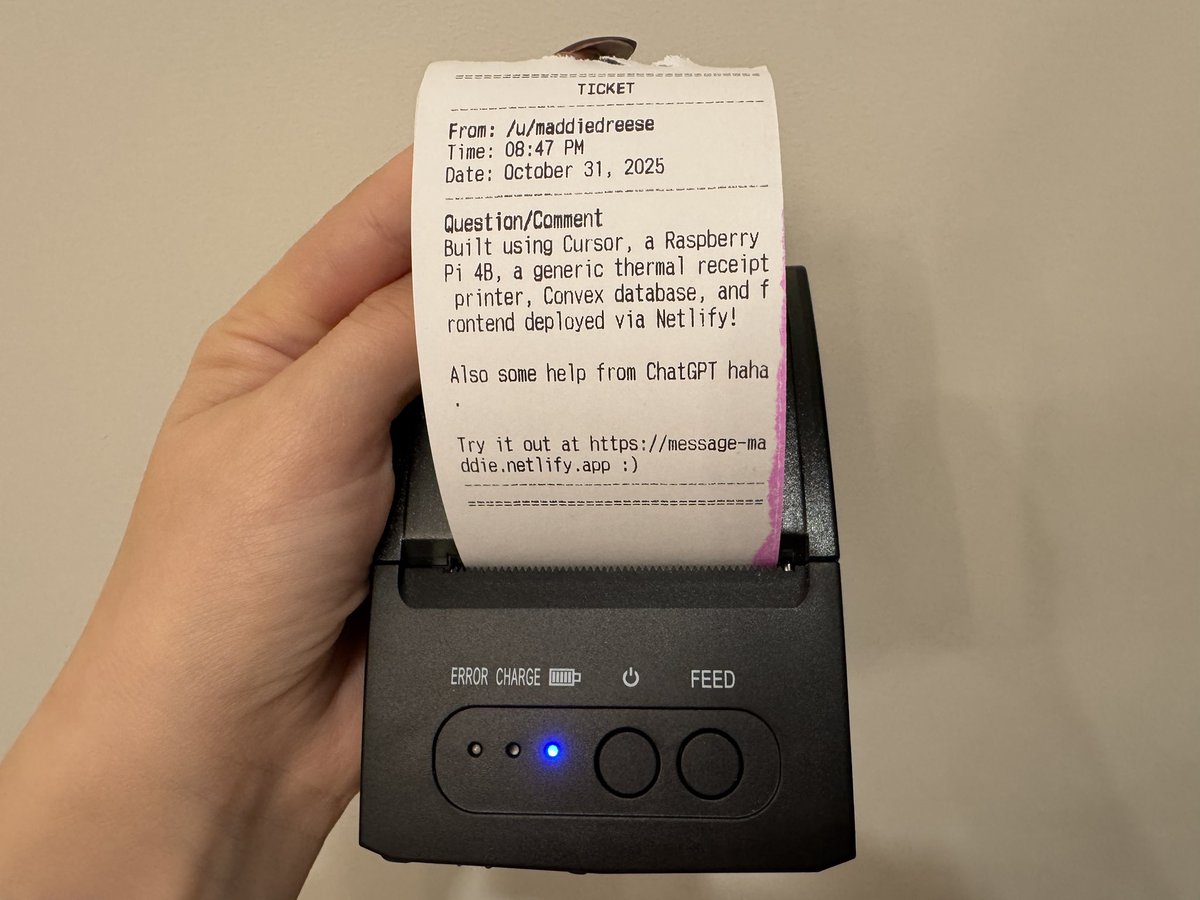
So excited to announce my first ever open source project! I’ve gotten so many messages about open sourcing the printer project, and it’s finally ready. Please let me know if you run into any issues, and especially if you try to build it yourself! Link below.
GitHub: A web-based ticket submission system that automatically prints tickets on ESC/POS thermal printers connected to a Raspberry Pi. Users can submit tickets through a simple web interface, which are then automatically printed with timestamps and formatted output. The application consists of a web interface, a Flask-based API running on Raspberry Pi, multiple printer support for USB, Serial, Network, and Bluetooth-connected printers, optional Convex database logging, and built-in reCAPTCHA spam protection.
Ticket Printer OS announcement
Ticket Printer OS

XTeInk Tamagotchi

January 29, 2026 / @maddiedreese

XTeInk Tamagotchi

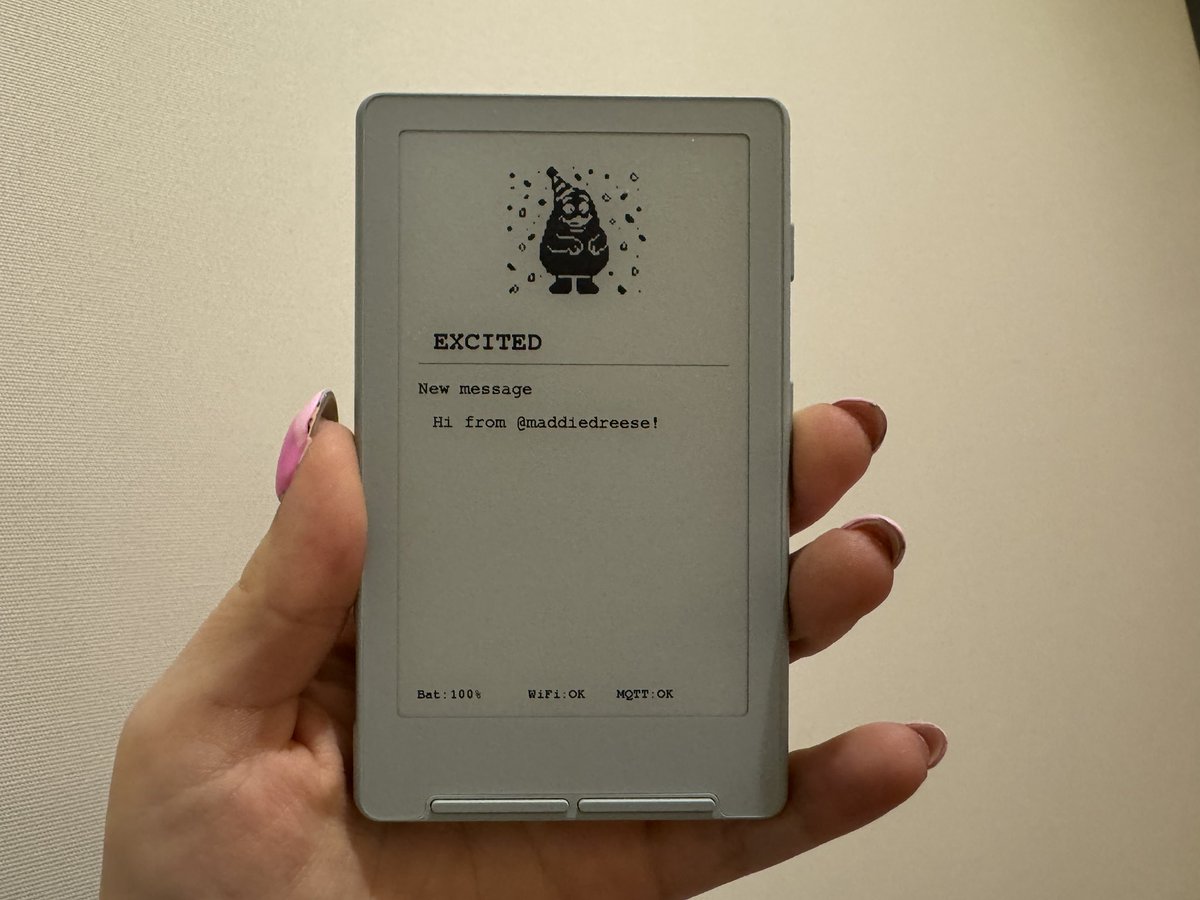
I gave my @openclaw a body and turned it into a Tamagotchi! Loaded custom sprites and firmware into an e-reader, then set up a Skill. Whenever I get a message from my moltbot/clawdbot on Telegram, it fires off the Skill and sends the message text and state to the e-reader. States: Idle - default; Alert - new message received from me; Thinking - processing/thinking; Talking - responding; Excited - task completed successfully; Sleeping - idle for 5+ minutes; Working - using a tool; Error - error at some point in the process. My favorite is the Excited sprite :)
GitHub: XTeInk Tamagotchi transforms an XTeInk X4 e-ink display into a companion for your AI assistant. When your OpenClaw/Clawdbot/MoltBot responds to messages, thinks, or works on tasks, the display updates in real-time to show mood sprites, activity status, messages, and system status.
XTeInk Tamagotchi
XTeInk Tamagotchi

February 1, 2026 / @maddiedreese

XTeInk Tamagotchi open source demo

Open sourced my @openclaw Xteink tamagotchi setup! Includes full instructions for how to purchase your own Xteink, create sprites, flash new firmware, and configure your Openclaw to actually run the skill required to use your tamagotchi! Plus more :) And here’s a demo of all of the sprites I created. Link below!
XTeInk Tamagotchi open source demo

XTeInk Terminal

May 25, 2026 / @maddiedreese

XTeInk Terminal

Tmux session running Codex on my Mac mini, custom firmware (built by Codex) on my Xteink x3. Plus a Magic Keyboard! I love e-ink!
GitHub: Custom firmware and a tmux bridge for using an XTeInk X4 as a small Wi-Fi e-ink terminal display. The keyboard stays paired to the computer, the computer runs the real terminal inside tmux, a Python bridge captures the tmux pane as plain text, the bridge pushes changed frames to the X4 over Wi-Fi, and the X4 renders those frames on its e-ink display. The project replaces the stock reader firmware with native Arduino/PlatformIO firmware for the ESP32-C3 inside the X4. The firmware exposes a tiny HTTP API instead of trying to run a shell or language model on the device itself. Status includes Wi-Fi setup via WiFiManager captive portal, GET /status, POST /frame, GET /reset-wifi, readable 2x bitmap text at about 56x28 cells, Unicode box-drawing conversion to ASCII, line wrapping before frames are sent, and partial refresh attempts for changed line bands after the first full refresh.
XTeInk Terminal

OpenClaw on a 1998 iMac G3

February 23, 2026 / @maddiedreese

OpenClaw on a 1998 iMac G3

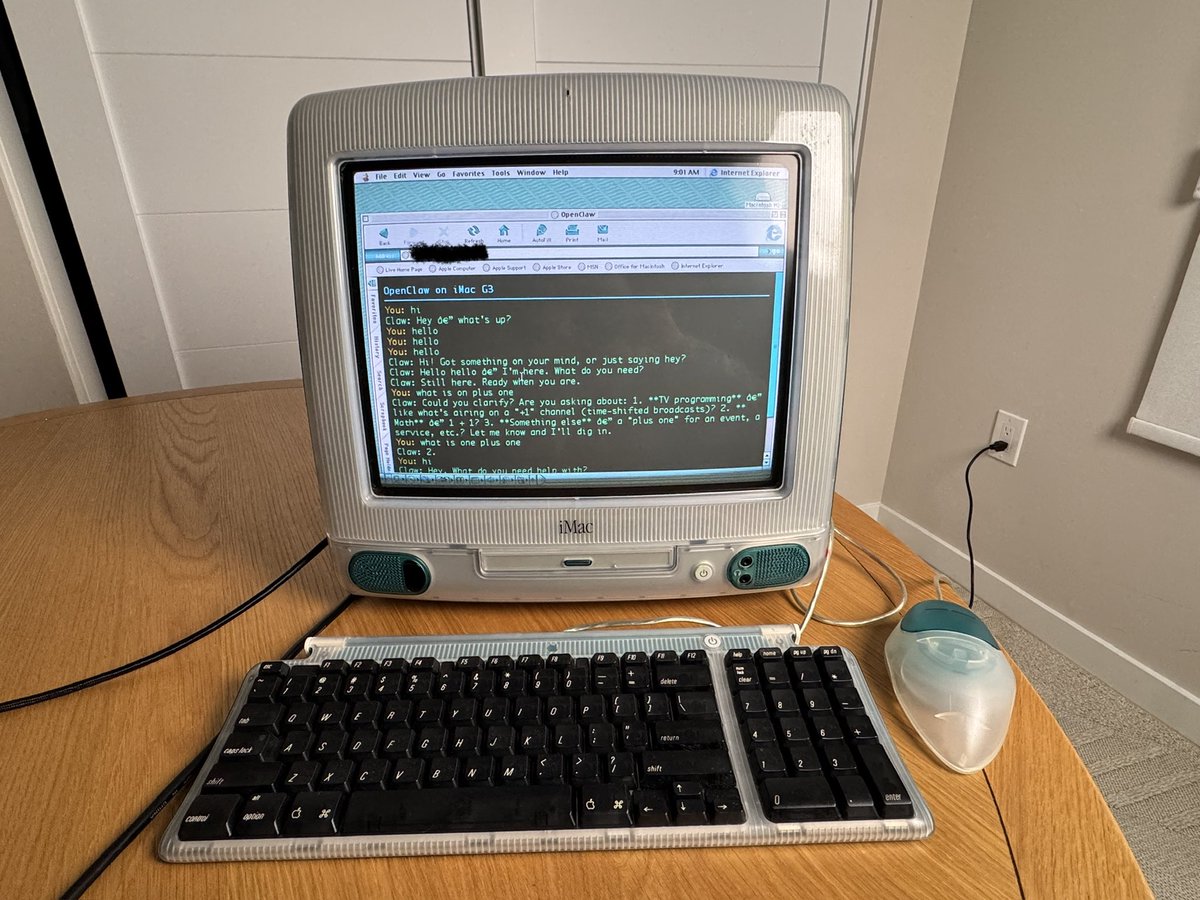
Ok, @openclaw on a 1998 iMac G3 (kind of). It’s older than I am! How it works: 1. The iMac G3 loads a page with a form in its browser. 2. I type a message and hit send (plain HTML form POST). 3. The Pi Zero 2W I have hooked up receives the form submission and makes an HTTP request to the OpenClaw gateway’s /v1/chat/completions endpoint on the VPS. 4. The VPS runs OpenClaw. 5. The response comes back through the Pi to the iMac as a page reload with the full conversation.
OpenClaw on a 1998 iMac G3

Rotary phone for OpenClaw

March 6, 2026 / @maddiedreese

Rotary phone for OpenClaw

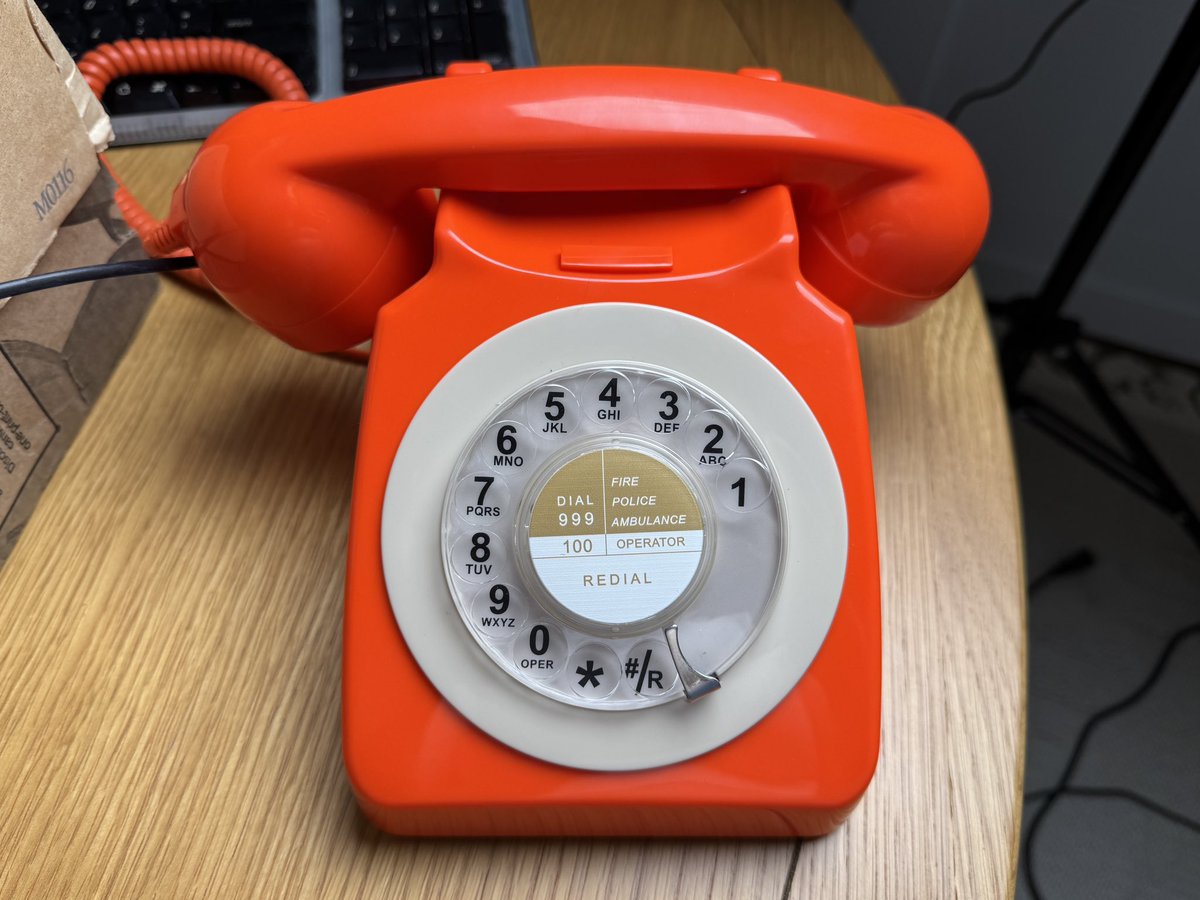
I gave my @openclaw a rotary phone! And I’ve titled this video: In Conversation with Grimacegotchi. Using a rotary phone and Grandstream HT801 v2. Plus @twilio @DeepgramAI and @elevenlabs (custom voice).
Rotary phone for OpenClaw

March 6, 2026 / @maddiedreese

Rotary phone call flow

I gave my @openclaw a rotary phone! Here’s how it works: Hardware: Benotek rotary phone plugs into Grandstream HT801 v2 (ATA) via phone cord; HT801 plugs into my router via ethernet; HT801 registers as a SIP endpoint with Twilio. Call Flow: Pick up rotary phone, dial @Twilio number; Twilio answers, plays “Connecting you to OpenClaw”; Twilio opens a WebSocket media stream to my server (via ngrok); server connects to @deepgramai and OpenClaw; my voice audio streams from Twilio to Deepgram in real time; Deepgram transcribes my speech to text; after 1.5 seconds of silence, the transcript is sent to my OpenClaw; OpenClaw responds with text; text is sent to @ElevenLabs for text-to-speech conversion; audio is converted to mulaw format via ffmpeg; mulaw audio streams back through Twilio to my rotary phone speaker.
Rotary phone call flow

Nintendo Switch Codex / Claude Code / Cursor / Doom chain

March 25, 2026 / @maddiedreese

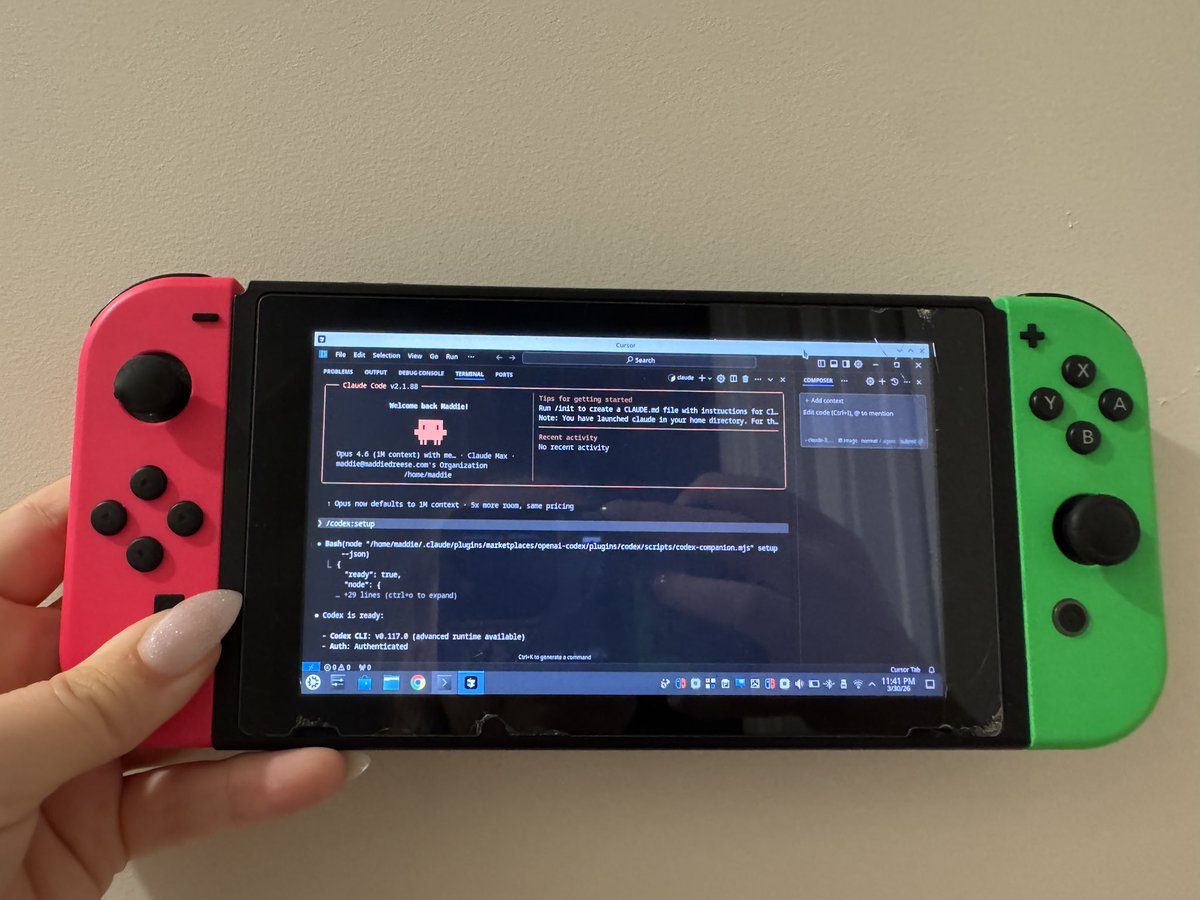
Claude Code on a Nintendo Switch

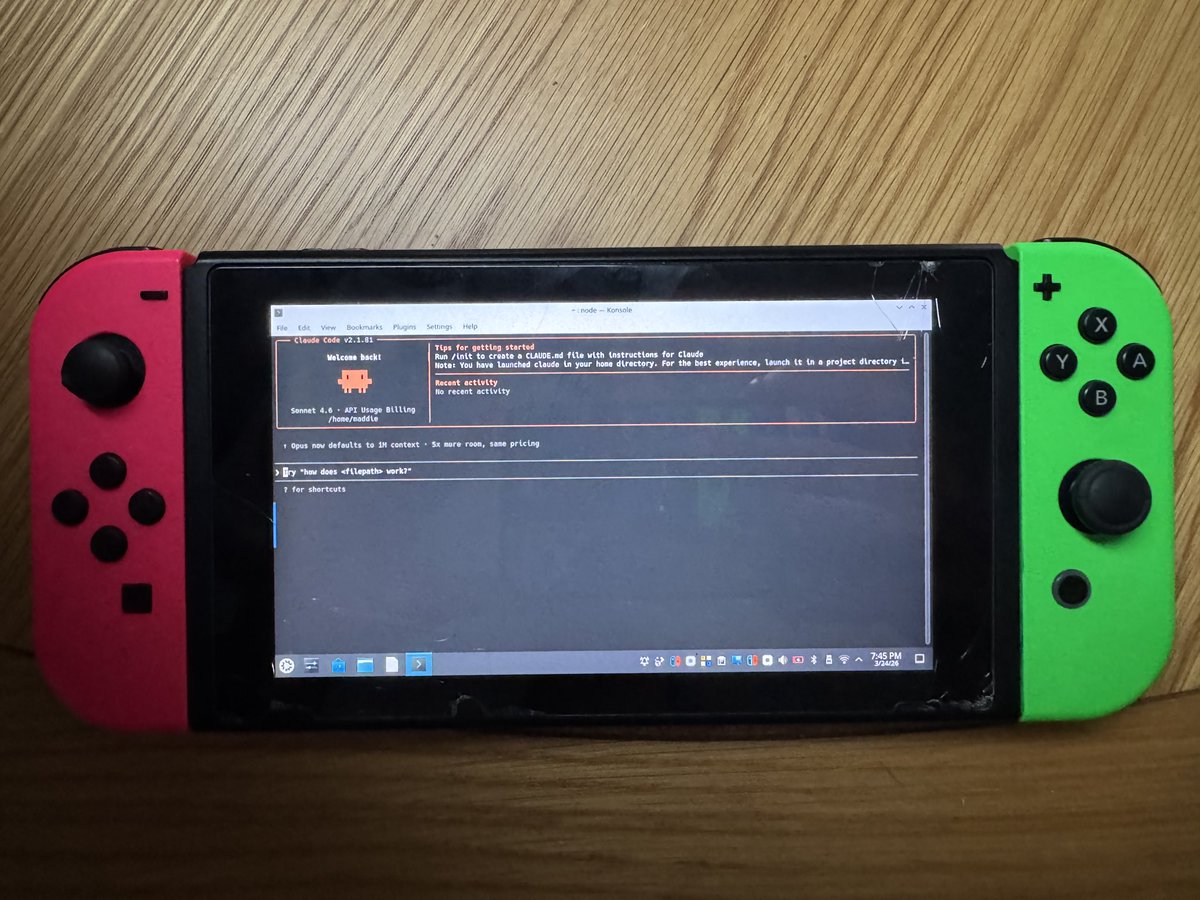
I ran Claude Code on a Nintendo Switch! Here's how. The original 2017 Switch has an unpatchable hardware exploit (Fusée Gelée) that allows you to boot into Recovery Mode by shorting two pins in the Joy-Con rail. I used a folded piece of aluminum foil instead of a commercial RCM jig (because I didn’t want to wait for Amazon delivery, haha). From there: Injected @CTCaer Hekate bootloader payload via a browser-based tool; partitioned the SD card and installed @switchroot_org's L4T Ubuntu Noble 24.04; installed @claudeai Code using the native Linux installer; ran it successfully from the terminal on the Switch's Tegra X1 chip. The entire process is non-destructive if you copy everything from the Switch’s SD card and save it. The Switch's internal storage is never touched because everything lives on the SD card. To restore, you just reformat the card and copy your original files back. Fun little experiment!
Claude Code on Nintendo Switch
Claude Code on a Nintendo Switch

March 28, 2026 / @maddiedreese

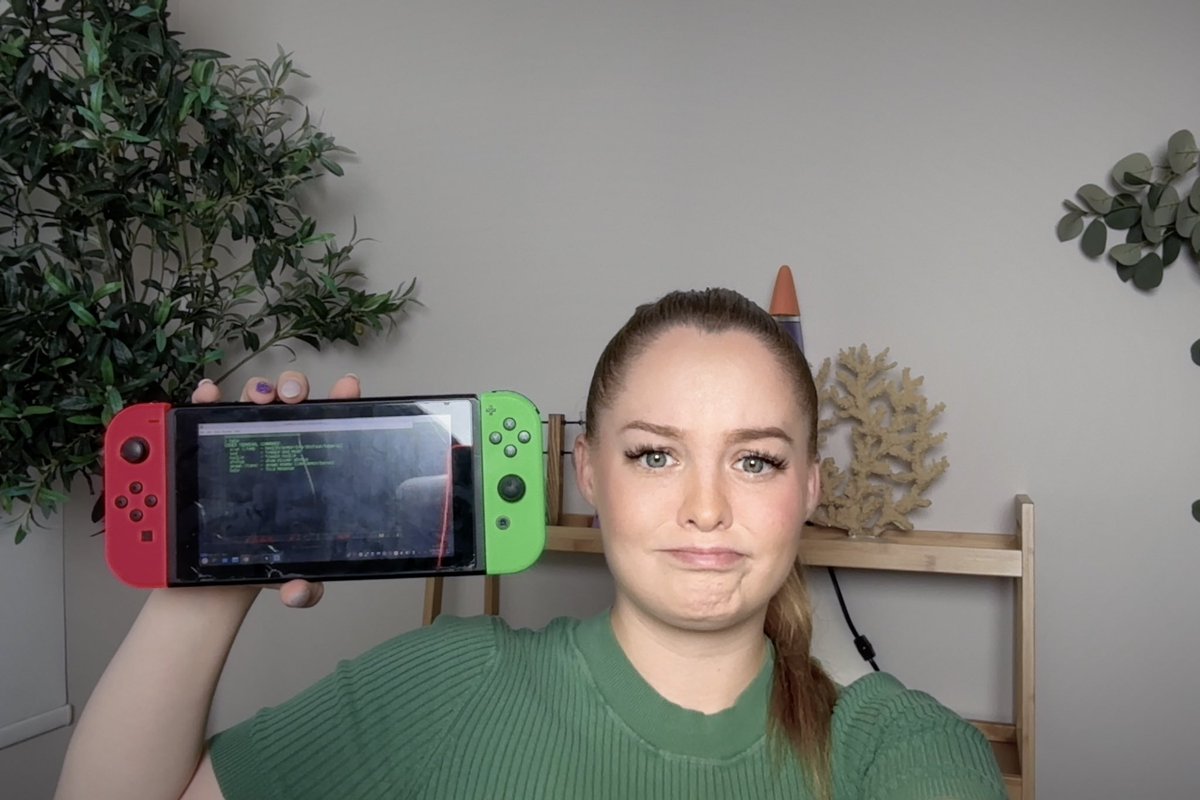
Codex on a Nintendo Switch

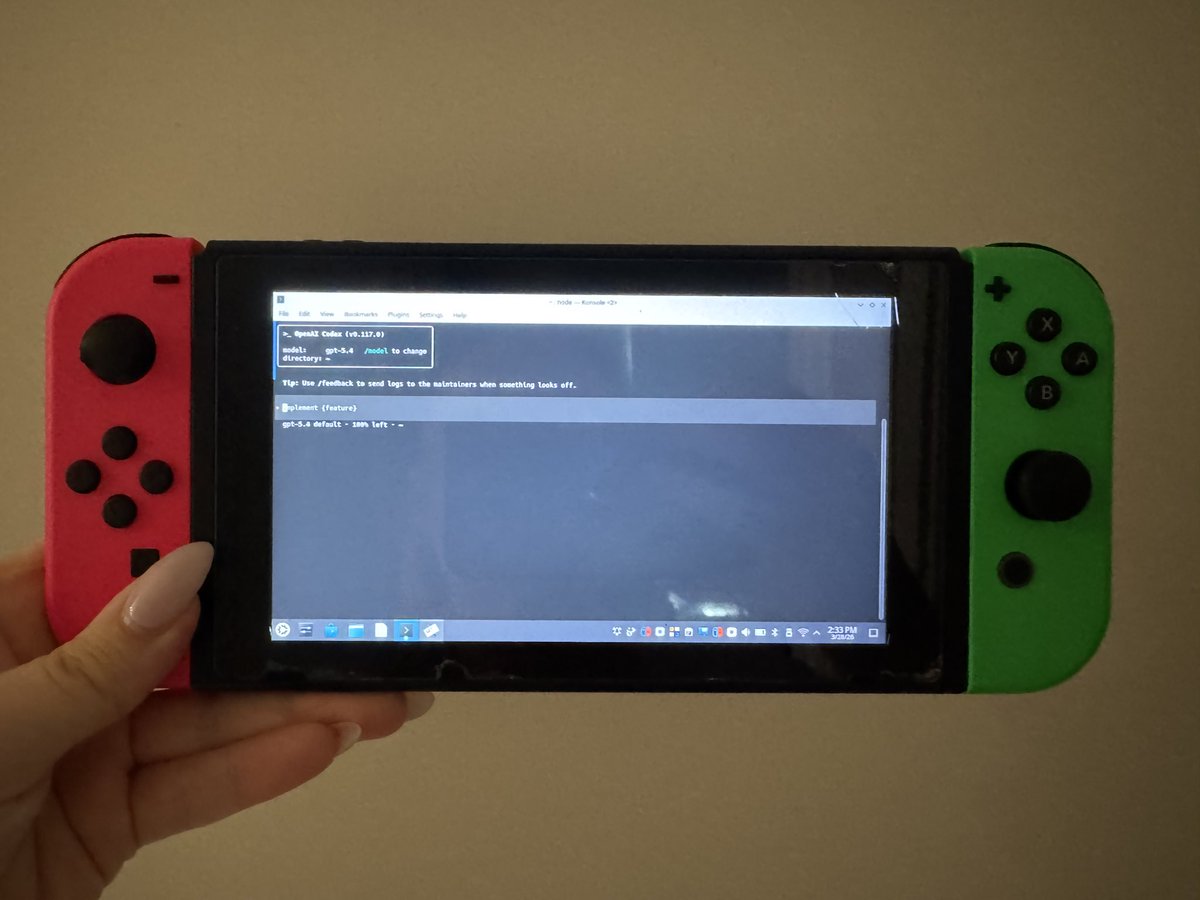
I know you guys were desperately wondering, so I’ll confirm that, yes, you can run Codex on a Nintendo Switch!
Codex on Nintendo Switch
Codex on a Nintendo Switch

March 31, 2026 / @maddiedreese

Codex in Claude Code on Nintendo Switch

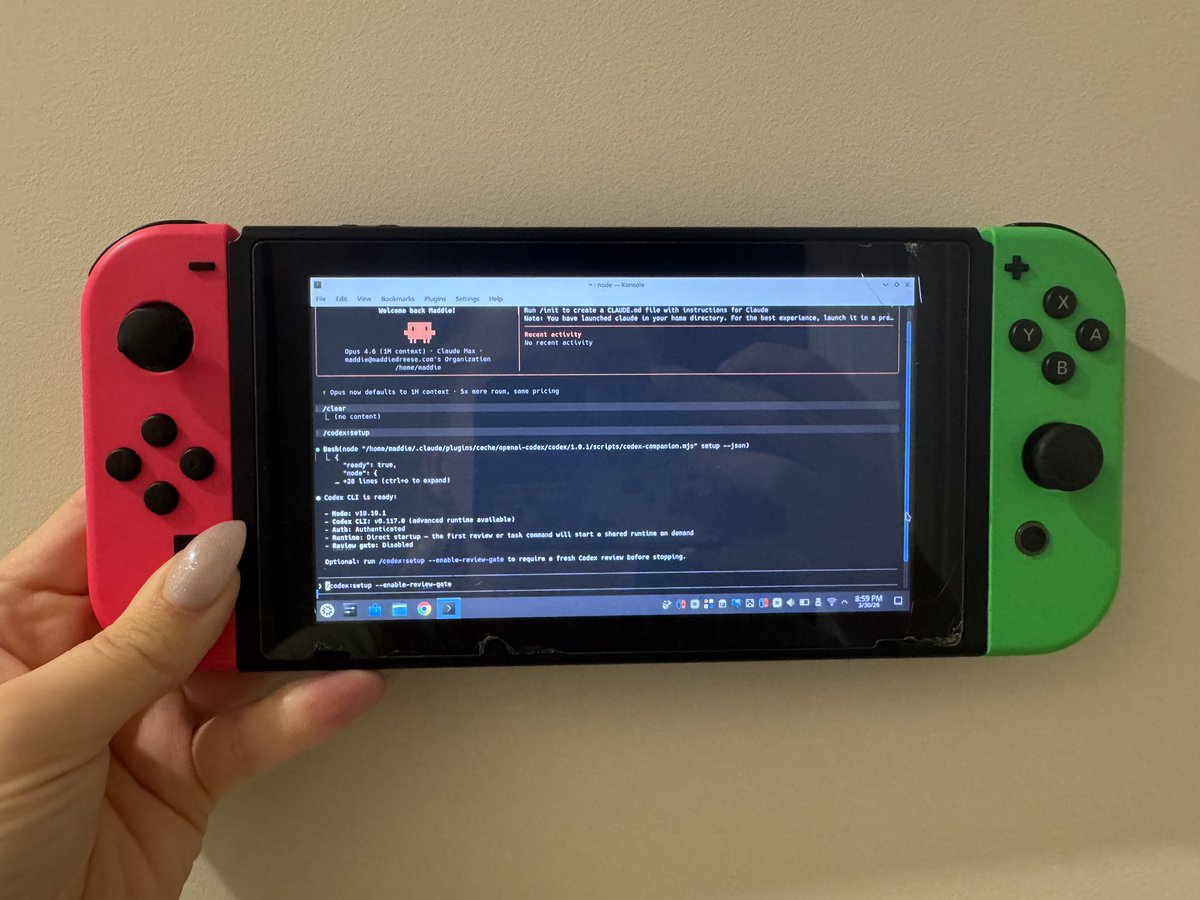
Codex in Claude Code on the Nintendo Switch
Codex in Claude Code on Nintendo Switch

March 31, 2026 / @maddiedreese

Codex in Claude Code in Cursor on Nintendo Switch

My magnum opus: Codex in Claude Code in Cursor on the Nintendo Switch
Codex in Claude Code in Cursor on Nintendo Switch

April 1, 2026 / @maddiedreese

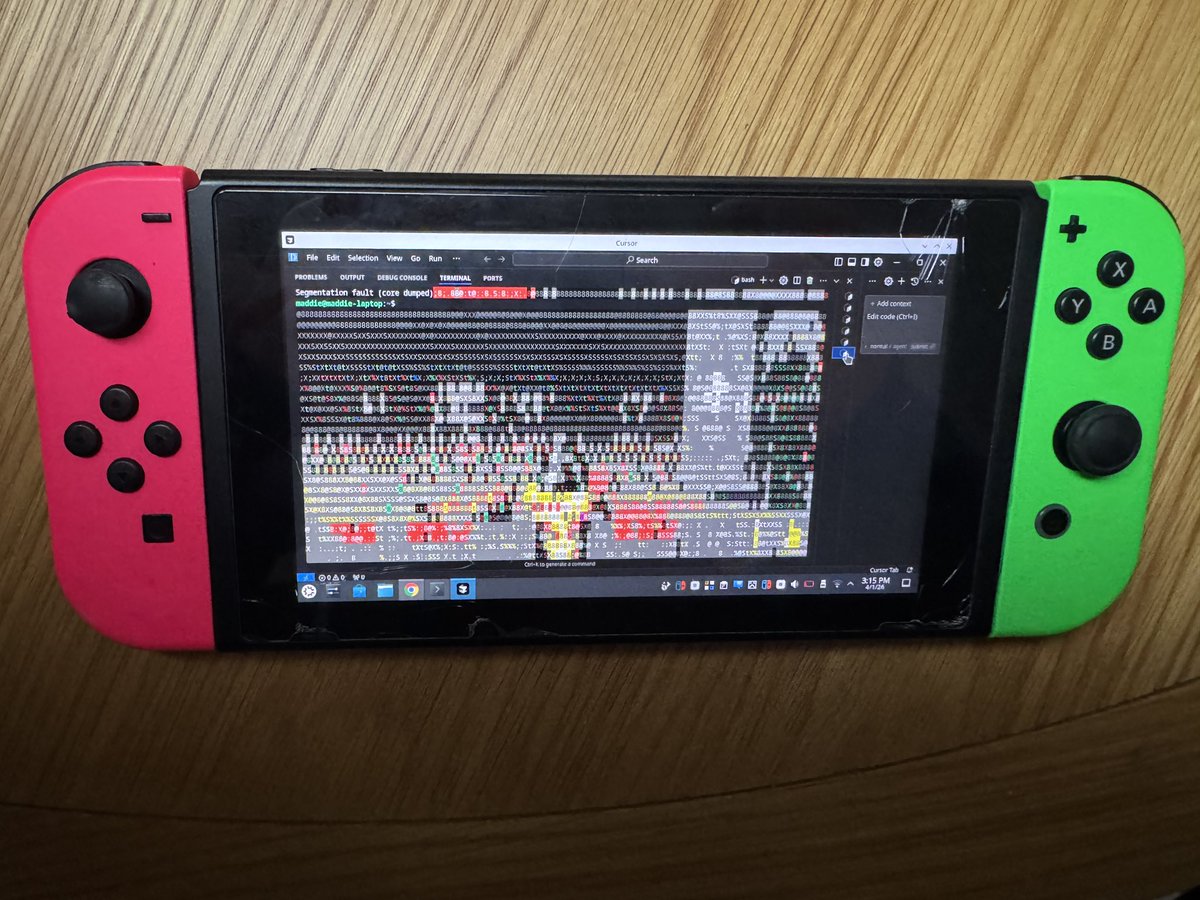
Doom reviewed by Codex on Nintendo Switch

A Nintendo Switch running Linux running Cursor running Claude Code which wrote a script to launch Doom that was then reviewed by Codex which is running in Claude Code which is running in Cursor on a Nintendo Switch which is running Linux which is running Cursor which ran the script which launched Doom in Cursor.
Doom reviewed by Codex on Nintendo Switch

April 4, 2026 / @maddiedreese

Codex in Doom on Nintendo Switch

Nintendo Switch -> Linux -> Cursor -> Claude Code in Cursor -> Codex in Claude Code -> Doom in Codex -> Codex in Doom (Codex in Doom inspired by @dkundel whose article is linked below!)
Codex in Doom on Nintendo Switch

Ryujinx on a Nintendo Switch

March 28, 2026 / @maddiedreese

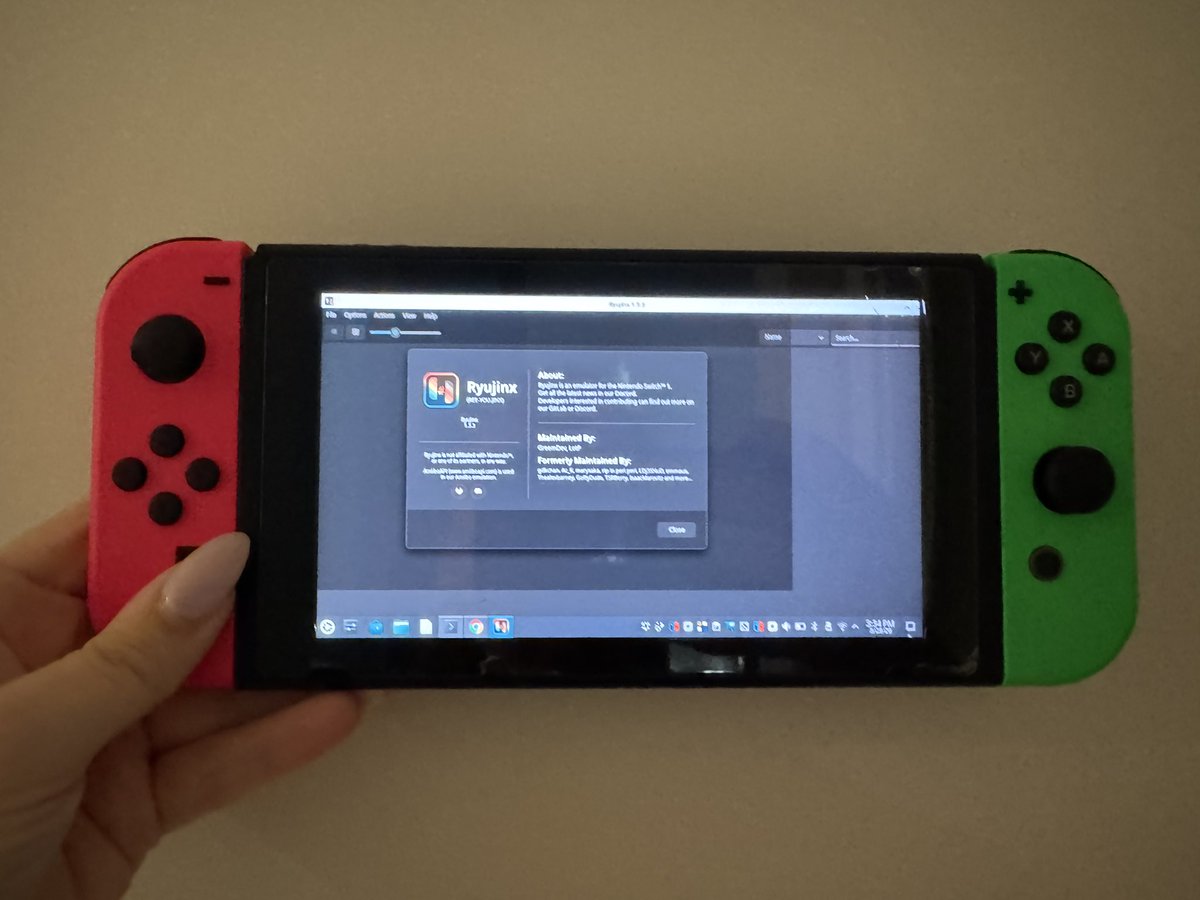
Ryujinx on a Nintendo Switch

Ok, one more just for fun. You can technically run a Nintendo Switch emulator on a Nintendo Switch! Here’s how: The original 2017 Switch has an unpatchable hardware exploit (Fusée Gelée) that allows you to boot into Recovery Mode by shorting two pins in the Joy-Con rail. I used a folded piece of aluminum foil instead of a commercial RCM jig. From there: Injected @CTCaer Hekate bootloader payload via a browser-based tool; partitioned the SD card and installed @switchroot_org's L4T Ubuntu Noble 24.04; downloaded and ran Ryujinx (a Nintendo Switch emulator) directly on the Switch's Tegra X1 chip running Linux. The entire process is non-destructive if you copy everything from the Switch's SD card and save it. The Switch's internal storage is never touched because everything lives on the SD card. To restore, you just reformat the card and copy your original files back.
Ryujinx on Nintendo Switch
Ryujinx on a Nintendo Switch

Claude Code through a Furby

April 3, 2026 / @maddiedreese

Claude Code through a Furby

It’s a work in progress, but, yes, you can run Claude Code through a Furby. Hardware: Stock Furby Connect (2016). No mods, just BLE; Mac; USB mic for voice capture. BLE (Bleak): connects via GATT characteristic to Furby's GeneralPlus chip; two command types: antenna LED color [0x14, R, G, B] and stock actions (eyes + motors + sound) [0x13, ...]; write-only; auto-reconnect on drop. Voice: 16kHz mono stream, RMS energy detection; starts recording at 0.3s above threshold, stops after 1.5s silence; clips sent to Whisper API and checked for wake phrase ("hey furby"); wake word only records a second clip for the actual command. Claude Code: spawns claude -p with stream-json output; --dangerously-skip-permissions; whitelisted tools: Read, Write, Edit, Bash, Grep, Glob; resumes session for conversation context; parses stdout line by line. Furby reactions: every Claude event maps to a stock Furby action + antenna color. Working on custom DLC eyes now: 64x64 pixel art uploaded to Furby's flash over BLE at ~4KB/s; 6-bit palette-indexed, packed 4px per 3 bytes. I have a massive Furby-induced headache. Do not recommend trying this at home.
GitHub: the fetched repository has files including furby_controller.py, bridge.py, claude_runner.py, voice.py, tts.py, dlc_eyes.py, state_machine.py, config.py, and test scripts.
Claude Code through a Furby

LLM on a 1998 iMac G3

April 6, 2026 / @maddiedreese

LLM on a 1998 iMac G3

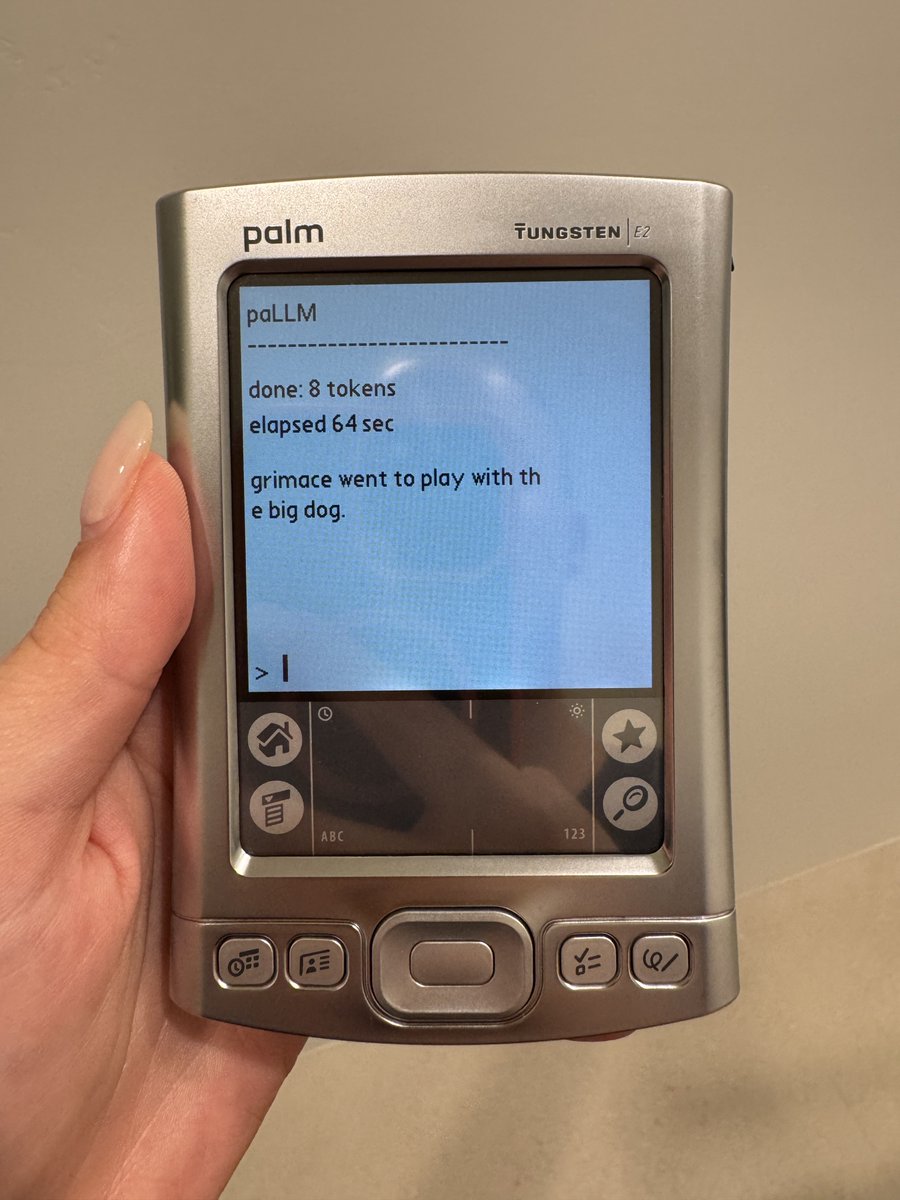
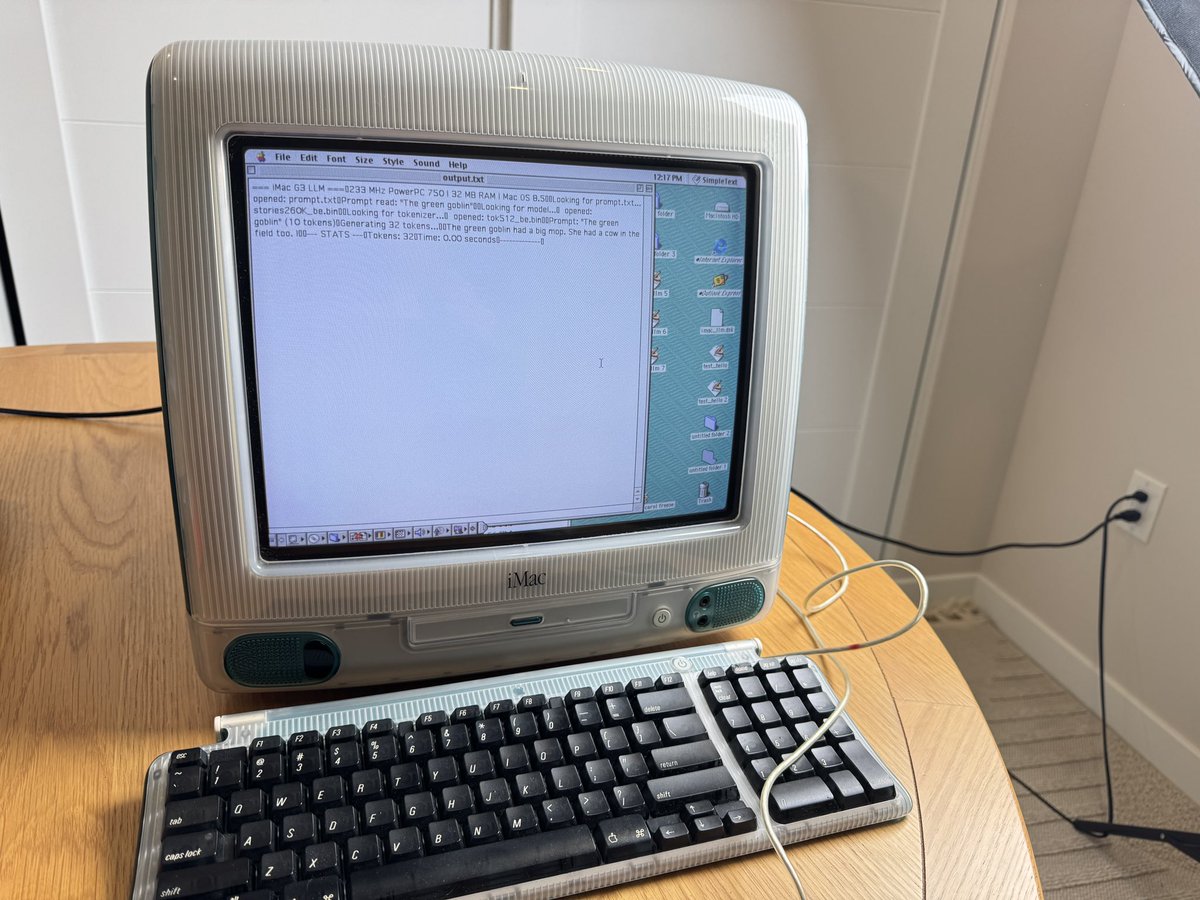
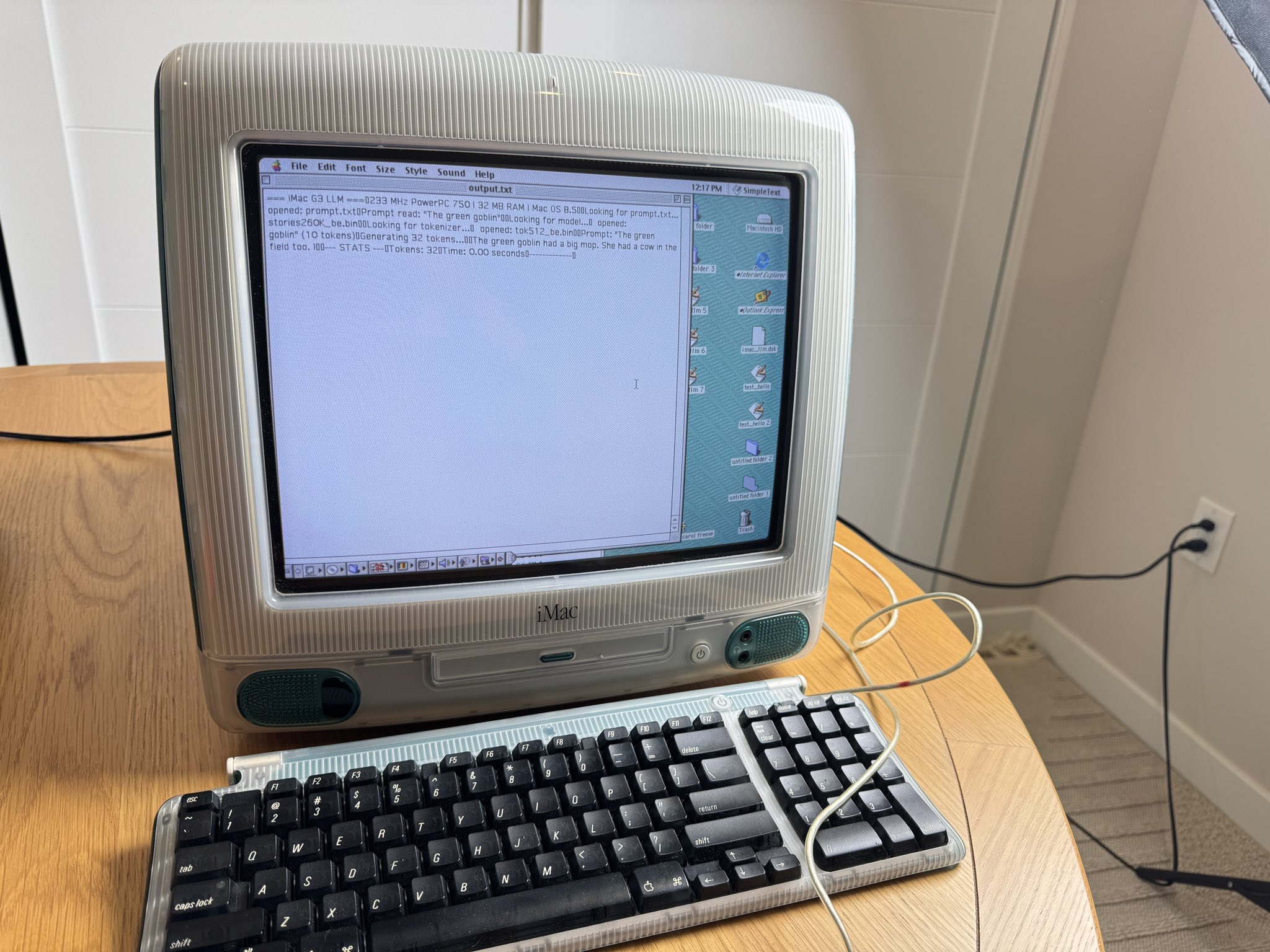
Yes, you can technically run an LLM on a 1998 iMac G3 with 32 MB of RAM. Prompt: "The green goblin" Output: "The green goblin had a big mop. She had a cow in the field too. I" Hardware: Stock iMac G3 Rev B (October 1998). 233 MHz PowerPC 750, 32 MB RAM, Mac OS 8.5. No upgrades. Model: @karpathy's 260K TinyStories (Llama 2 architecture). ~1 MB checkpoint. Toolchain: Cross-compiled from a Mac mini using Retro68; endian-swapped model + tokenizer from little-endian to big-endian for PowerPC; files transferred via FTP to the iMac over Ethernet. Challenges: Mac OS 8.5 gives apps a tiny memory partition by default. Had to use MaxApplZone() + NewPtr() from the Mac Memory Manager to get enough heap. RetroConsole crashes on this hardware, so all output writes to a text file you open in SimpleText. The original llama2.c weight layout assumes n_kv_heads == n_heads. The 260K model uses grouped-query attention (kv_heads=4, heads=8), which shifted every pointer after wk and produced NaN. Fixed by using n_kv_heads * head_size for wk/wv sizing. Static buffers for the KV cache and run state to avoid malloc failures on 32 MB. It reads a prompt from prompt.txt, tokenizes with BPE, runs inference, and writes the continuation to output.txt. Fun!
GitHub: This is a port of Karpathy's llama2.c to classic Mac OS, targeting the original Bondi Blue iMac G3. It runs the 260K parameter TinyStories model with a ~1 MB checkpoint entirely in local memory. You type a prompt into prompt.txt using SimpleText, the app tokenizes it using BPE encoding with a 512-token vocabulary, runs transformer inference, and writes the continuation to output.txt.
LLM on a 1998 iMac G3

April 6, 2026 / @maddiedreese

More generated tokens on iMac G3

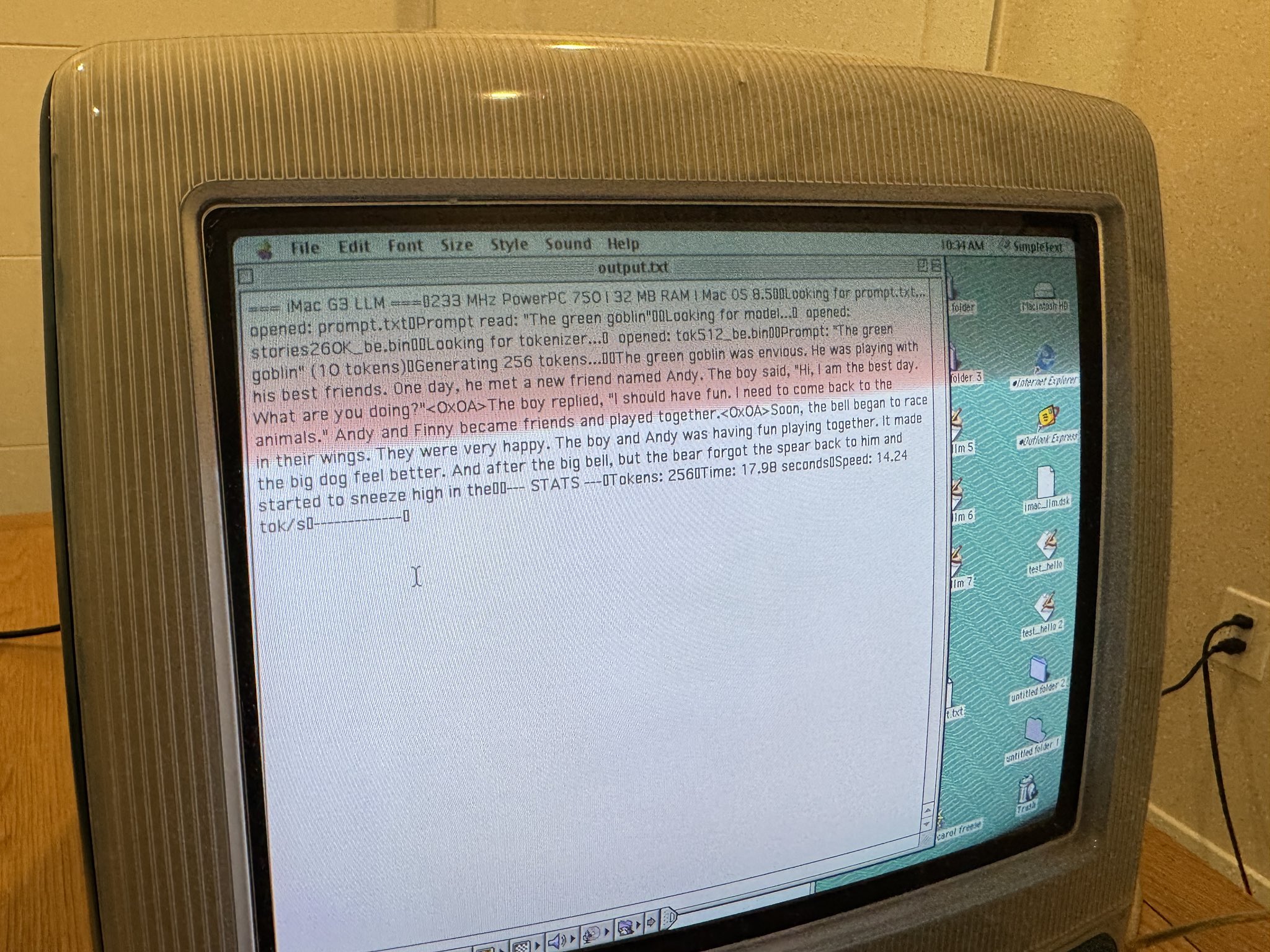
Did some more tinkering and upped the generated tokens! We’re looking at 14.24 tokens per second generated locally on a 1998 iMac G3 with 32MB of RAM. Not too shabby if I do say so myself!
Generated tokens on iMac G3
More generated tokens on iMac G3

April 7, 2026 / @maddiedreese

TinyStories on iMac G3

14.24 tokens per second running locally on a 1998 iMac G3 with 32 MB of RAM. Using @karpathy’s 260K TinyStories. Might be the oldest Mac to ever locally run a language model? Repo below if anyone would like to try it out!
TinyStories on iMac G3

Gemma running locally on Nintendo Switch

April 8, 2026 / @maddiedreese

Gemma running locally on Nintendo Switch

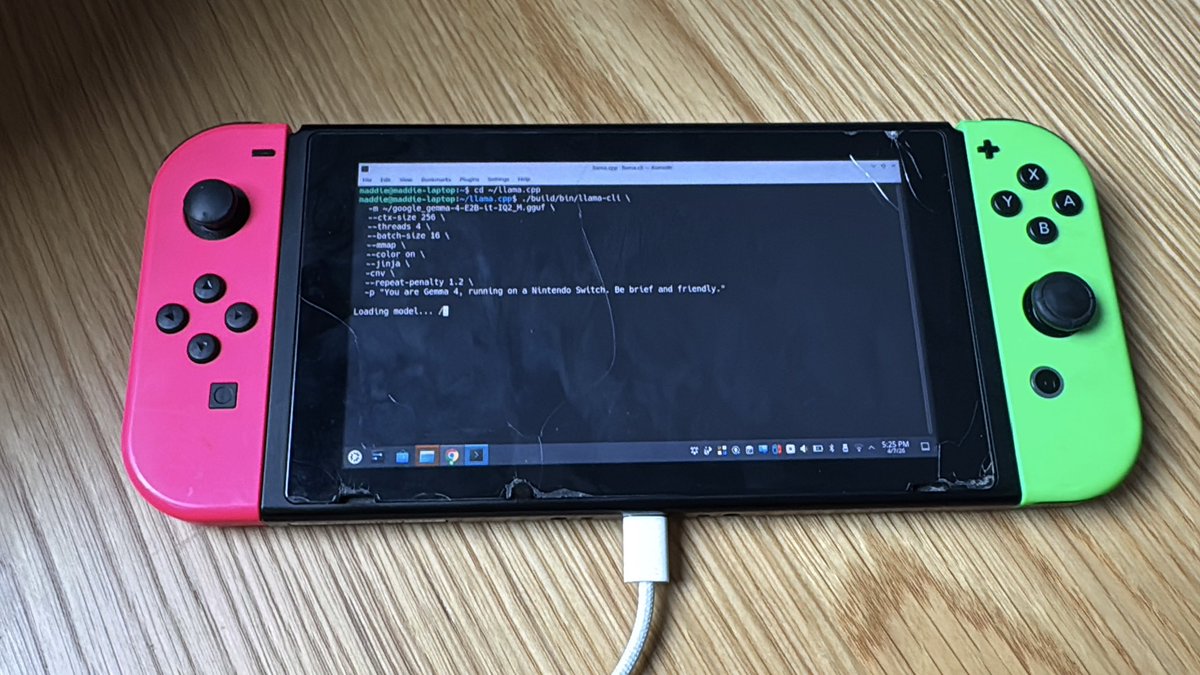
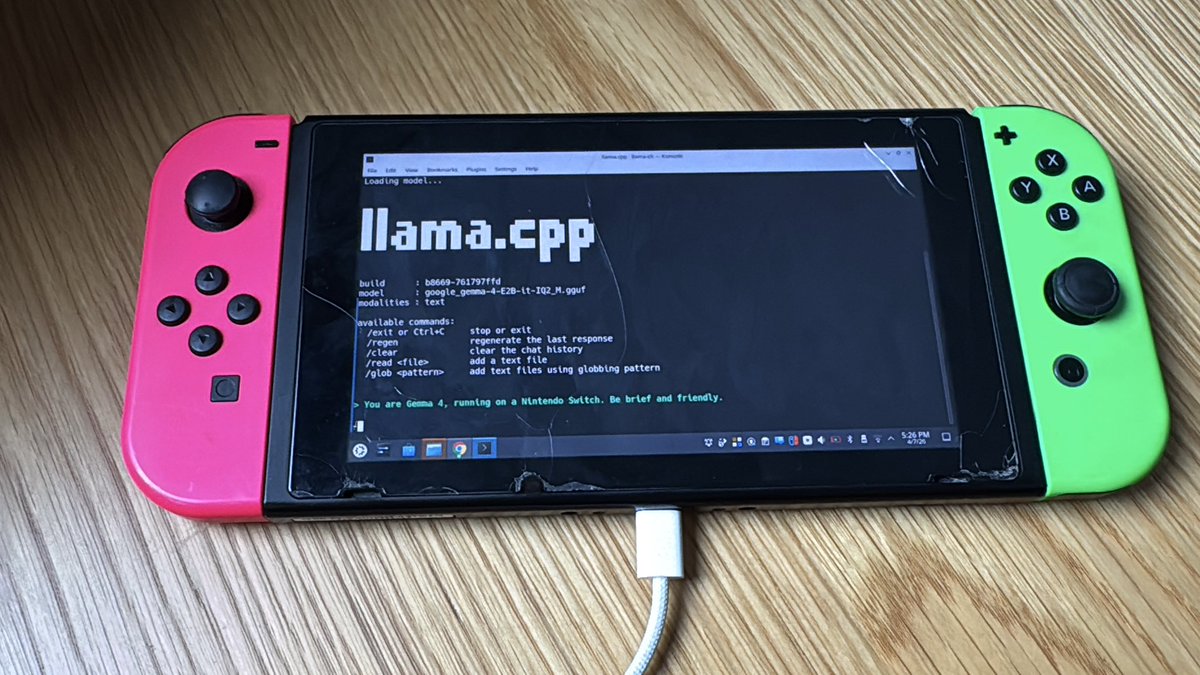
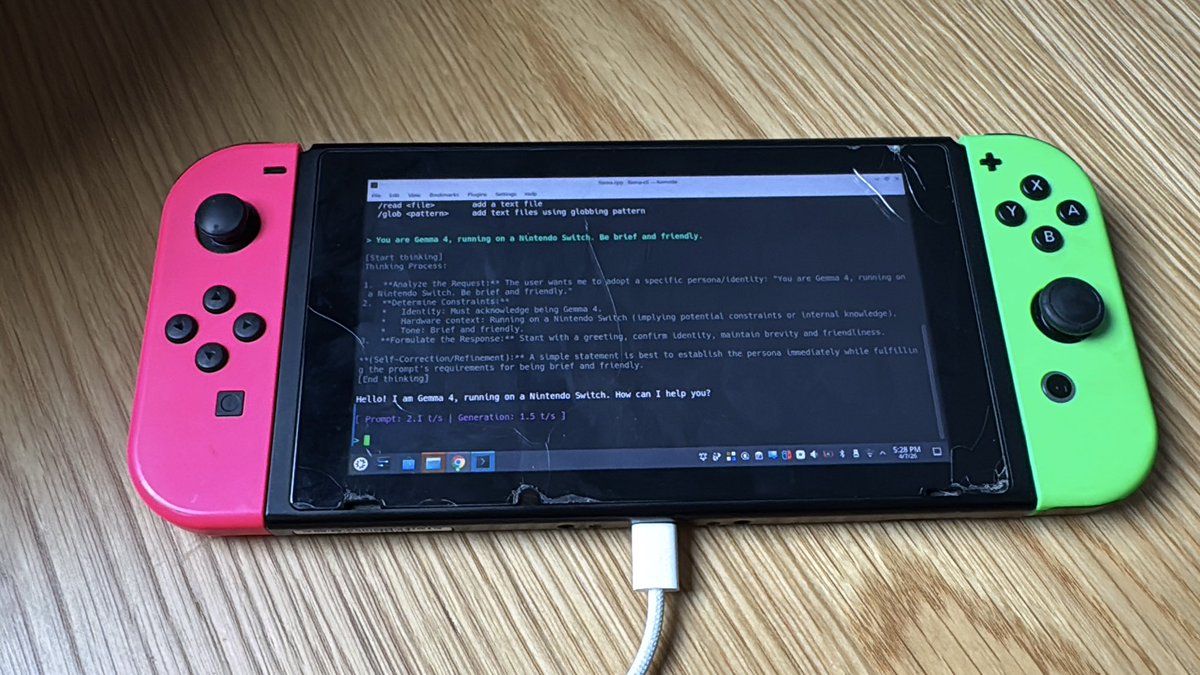
Gemma 4 running locally on a Nintendo Switch :) 1.5 tokens per second haha, but it runs! @googlegemma @googleaidevs @GoogleDeepMind
Gemma running locally on Nintendo Switch

April 8, 2026 / @maddiedreese

Gemma 4 E2B on Nintendo Switch notes

Ok, fine, Gemma 4 E2B on the Nintendo Switch! Notes: 2017 unpatched V1 Nintendo Switch + folded piece of foil + TegraRcmGUI to inject Hekate payload; partitioned SD card in Hekate, flashed L4T Ubuntu Noble 24.04 from @switchroot; booted into Ubuntu via Hekate's "More Configs"; SSH'd in from my laptop, kept KDE desktop up for filming; built llama.cpp from source for ARM64; grabbed Gemma 4 E2B IQ2_M quant (2.6GB) from @bartowski1182 on @huggingface; 4GB swap file on the SD card to survive the 4GB shared RAM. 1.5 tokens per second, but yes, it runs!
Gemma 4 E2B on Nintendo Switch note 1
Gemma 4 E2B on Nintendo Switch notes
Gemma 4 E2B on Nintendo Switch note 2
Gemma 4 E2B on Nintendo Switch notes
Gemma 4 E2B on Nintendo Switch note 3
Gemma 4 E2B on Nintendo Switch notes

Joy-Con gesture coding

April 8, 2026 / @maddiedreese

Joy-Con gesture coding

I only vibe code with Joy-Cons now. 6 gestures: swipe right -> Enter; swipe left -> Escape; stab -> y + Enter; shake -> Ctrl+C; flick up -> Up arrow; circle -> “explain this”. Performed 180 training samples, which were used to classify gestures. Gestures are piped into Claude Code which is running in L4T Ubuntu on my Nintendo Switch :) Very impractical!
Joy-Con gesture coding

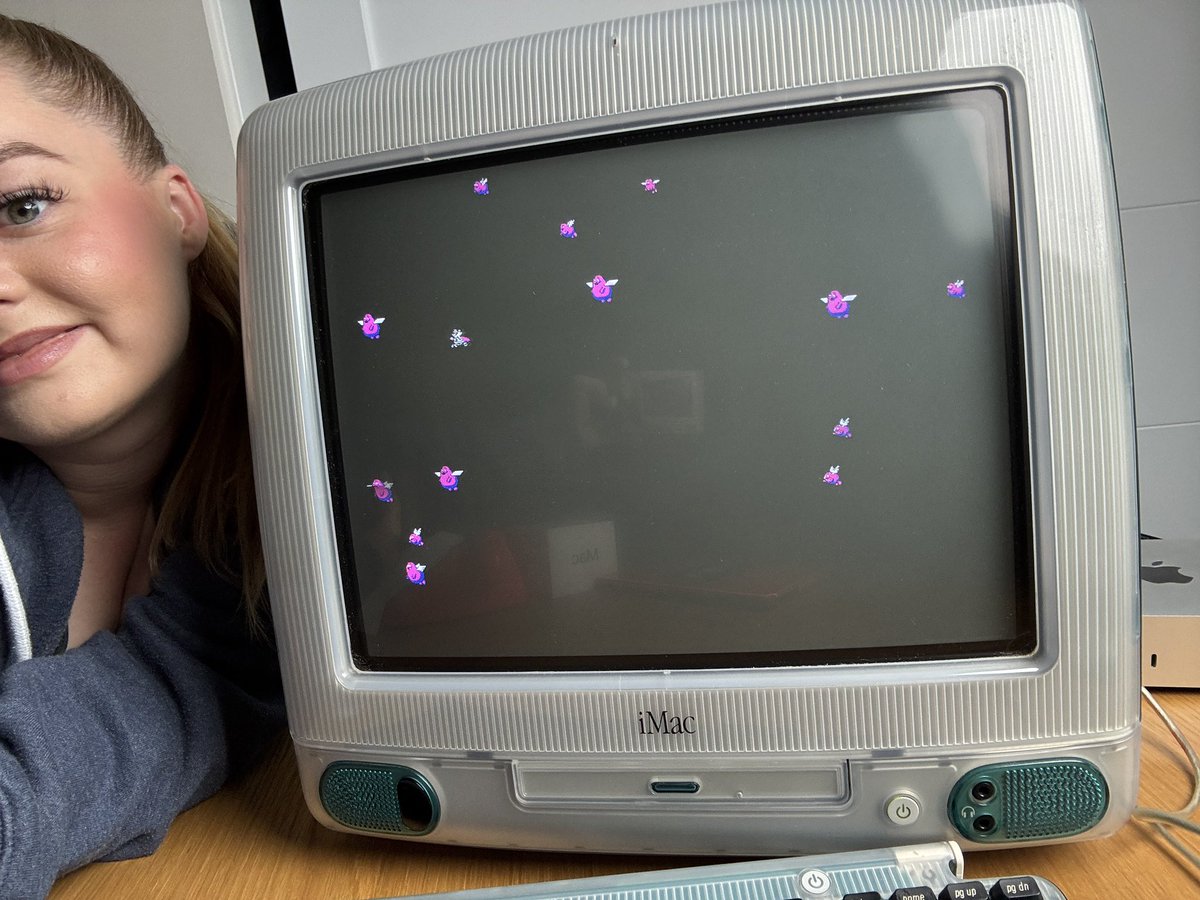
Flying Grimaces

April 10, 2026 / @maddiedreese

Flying Grimaces

I built my own screensaver for the iMac G3, à la Flying Toasters! Except mine is Flying Grimaces. Created 10 sprite frames using @spritecookai by @grilliottodd (4 large Grimace flap cycle + 4 small + 2 Hamburglar running); custom PNG->C converter snaps colors to Mac System palette, treats magenta as transparency sentinel; cross-compiled on modern Mac using Retro68 toolchain: PowerPC assembly targeting Mac OS 8.5; native QuickDraw rendering: 12 sprites at 60fps using SetCPixel, no modern graphics APIs; parallax depth system: large sprites move faster than small ones, occasional Hamburglar cameo streaks across; full pipeline: @Kitware CMake -> MakePEF -> Rez -> MacBinary, then HTTP serve to G3 and decode via Stuffit Expander; works perfectly... as long as you quit other apps first; 43KB native PowerPC binary, zero dependencies, period-authentic development constraints. Yippie!
GitHub: A native Mac OS 8.5 screensaver featuring chrome-winged Grimaces drifting across your vintage iMac screen, with occasional Hamburglar cameos. Built as a loving homage to Berkeley Systems' Flying Toasters (1989). Features include 10 sprite frames, parallax depth, chrome wings, Hamburglar cameos, period-authentic QuickDraw rendering, configurable control panel, and a 43KB binary.
Flying Grimaces
Flying Grimaces build
Flying Grimaces

April 10, 2026 / @maddiedreese

Flying Grimaces in SheepShaver

And here’s a video of it wonkily emulated through SheepShaver on Mac OS 9!
Flying Grimaces in SheepShaver

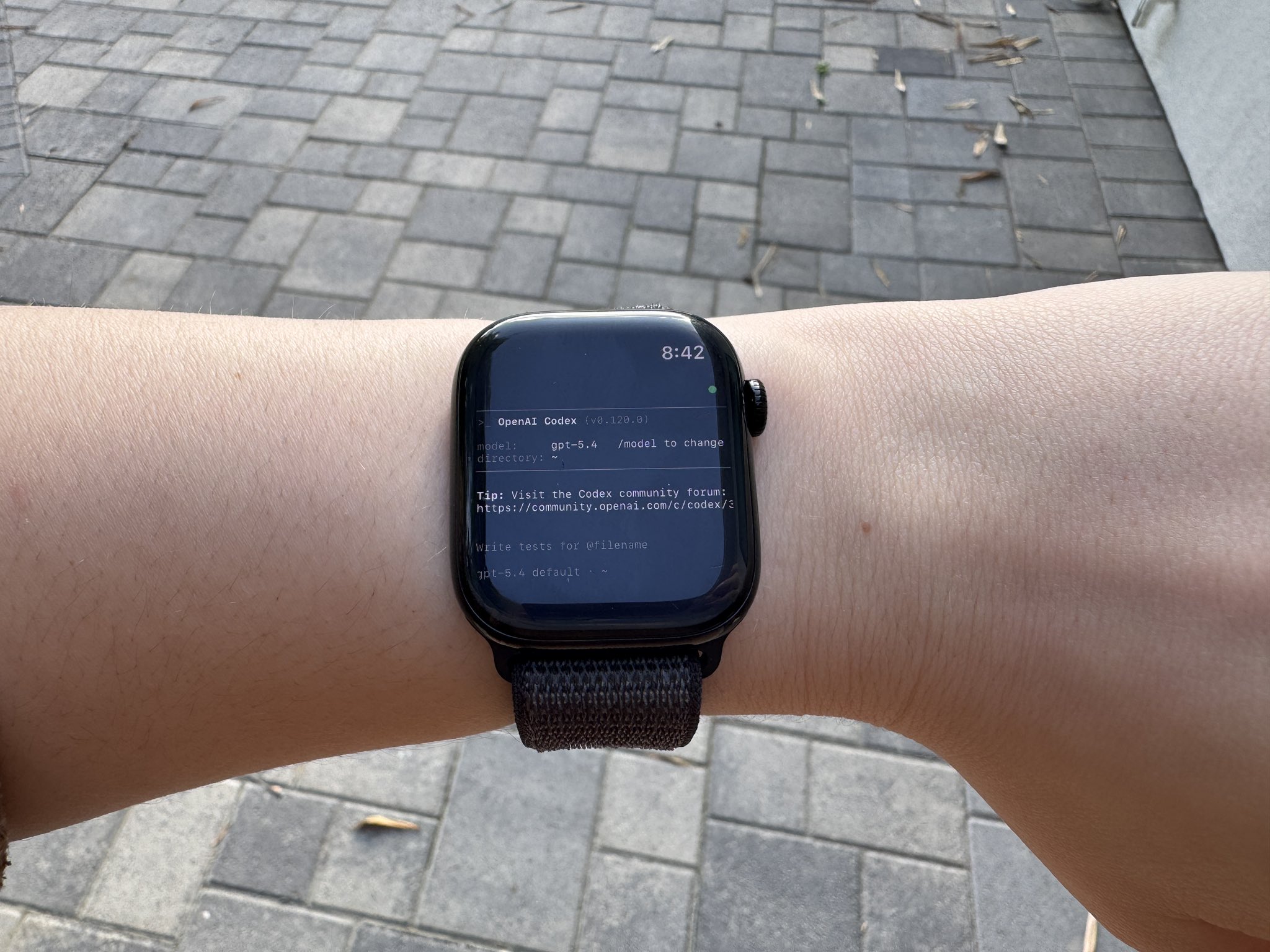
Codex on the Apple Watch

April 15, 2026 / @maddiedreese

Codex on the Apple Watch

Codex on the Apple Watch. The hardest part was updating my watch! Yes it is actually usable :)
Codex on Apple Watch
Codex on the Apple Watch

Doom on the Apple Watch

April 16, 2026 / @maddiedreese

Doom on the Apple Watch

Doom on the Apple Watch

Codex Computer Use on a 1998 iMac G3

April 16, 2026 / @maddiedreese

Can Codex use my Mac?

Hey @OpenAIDevs, can Codex use my Mac?
Can Codex use my Mac
Can Codex use my Mac?

April 17, 2026 / @maddiedreese

Codex Computer Use on a 1998 iMac G3

I was wrong, Codex can use Computer Use on my 1998 iMac G3 (kind of)! Here’s how: Bridge: iMac G3 -> ethernet -> modern Mac running screen sharing -> Codex clicking inside that window; ChromiVNC 3.4a5 on the G3 + MacOS screen sharing on my Mac. Not fully working, it can't actually open anything yet for some reason. But it CAN click! Here it is slowly clicking some random files of its choosing on the desktop. @OpenAIDevs
Codex Computer Use on a 1998 iMac G3

Claude Code on a 1998 iMac G3

April 17, 2026 / @maddiedreese

Claude Code on a 1998 iMac G3

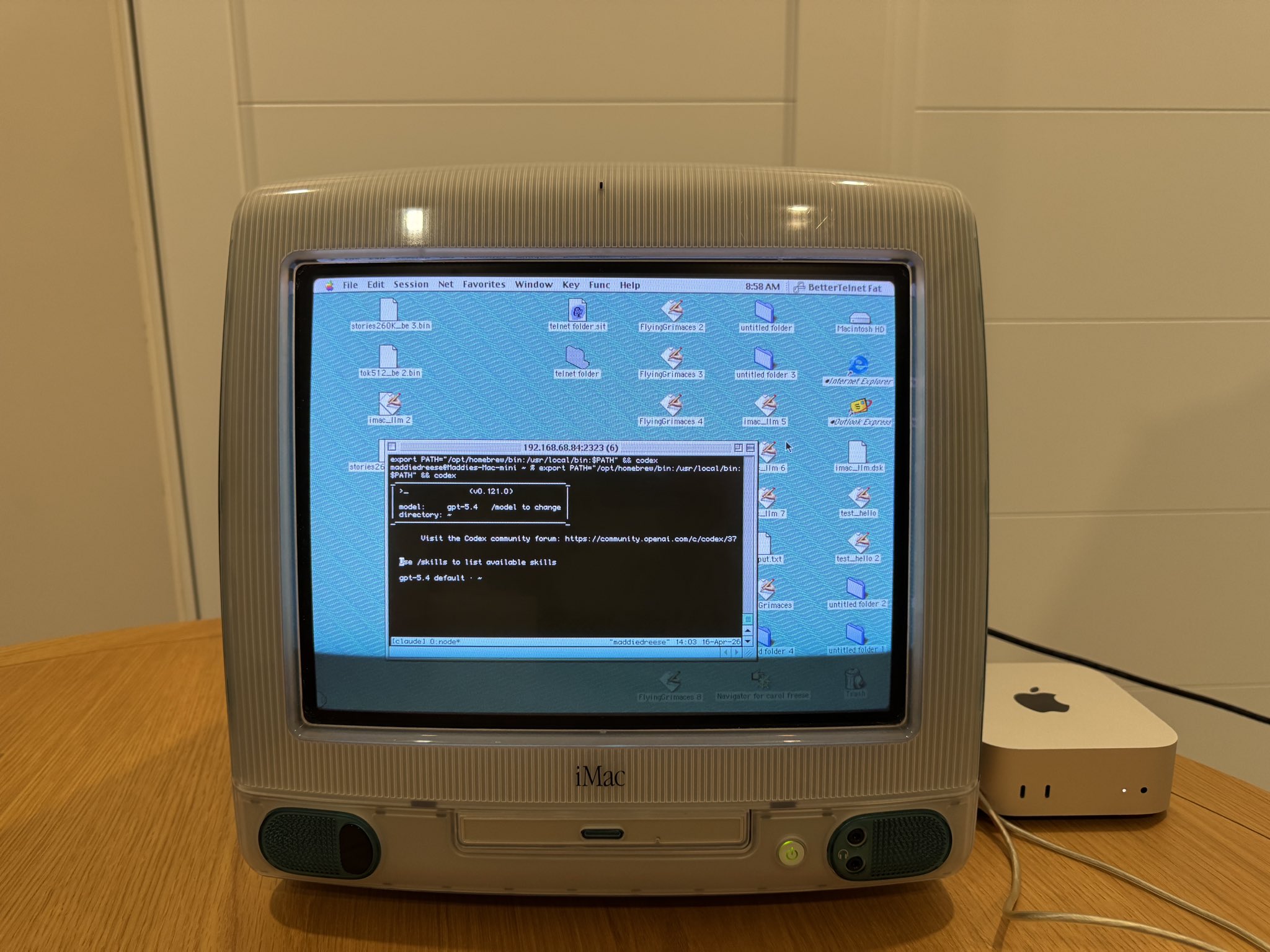
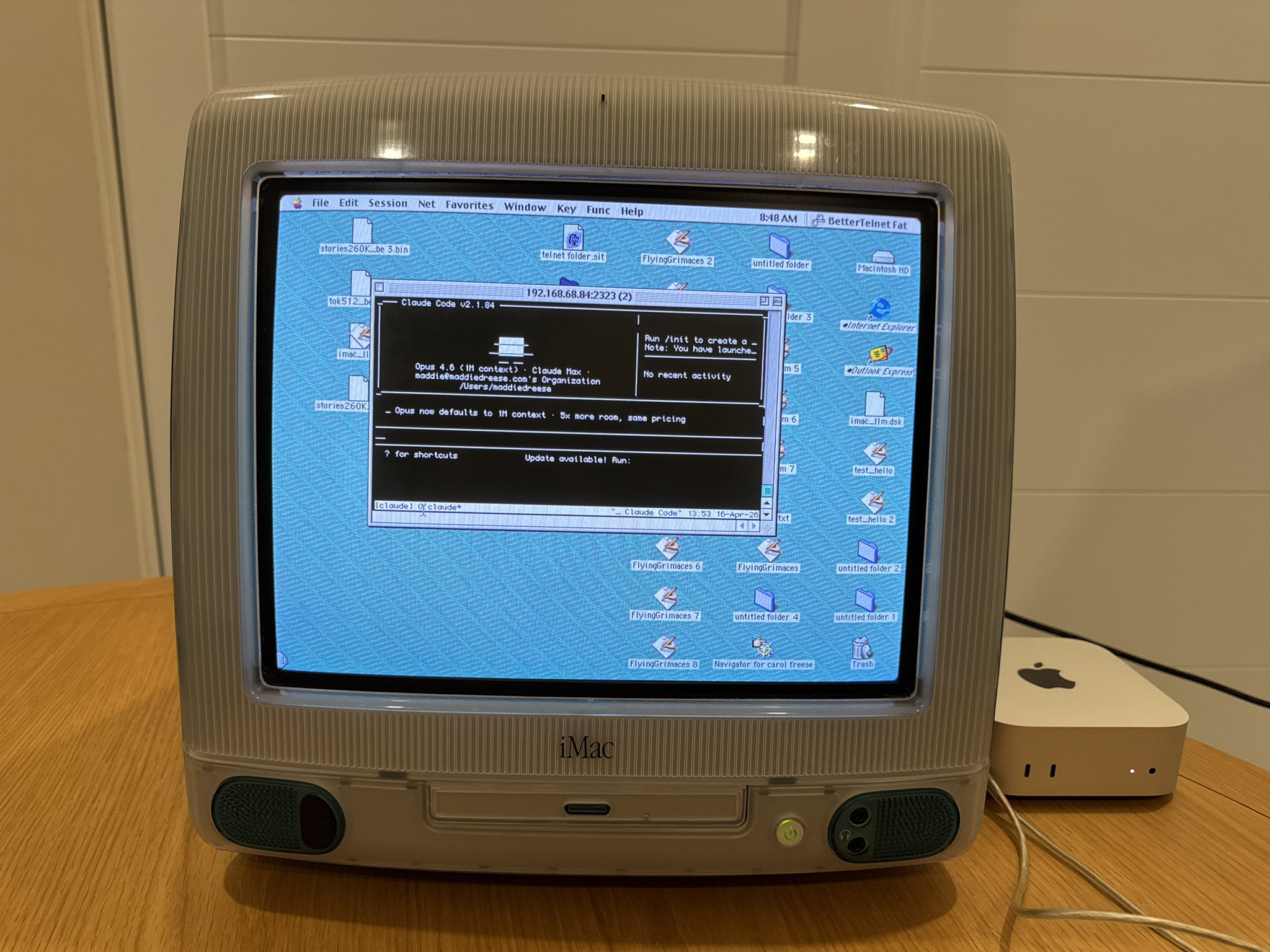
For completeness’ sake, here’s Claude Code on the 1998 iMac G3! How it works: Mac mini runs tmux with Claude Code inside; Pi Zero 2W bridges telnet to the Mac mini’s tmux session over SSH; iMac G3 connects via BetterTelnet on Mac OS 8.5; VT100 emulation renders the full TUI; swap CLIs by changing one tmux command. Same bridge, same CRT.
Claude Code on iMac G3
Claude Code on a 1998 iMac G3

Codex on a 2009 Palm Pixi

April 21, 2026 / @maddiedreese

Codex on a 2009 Palm Pixi

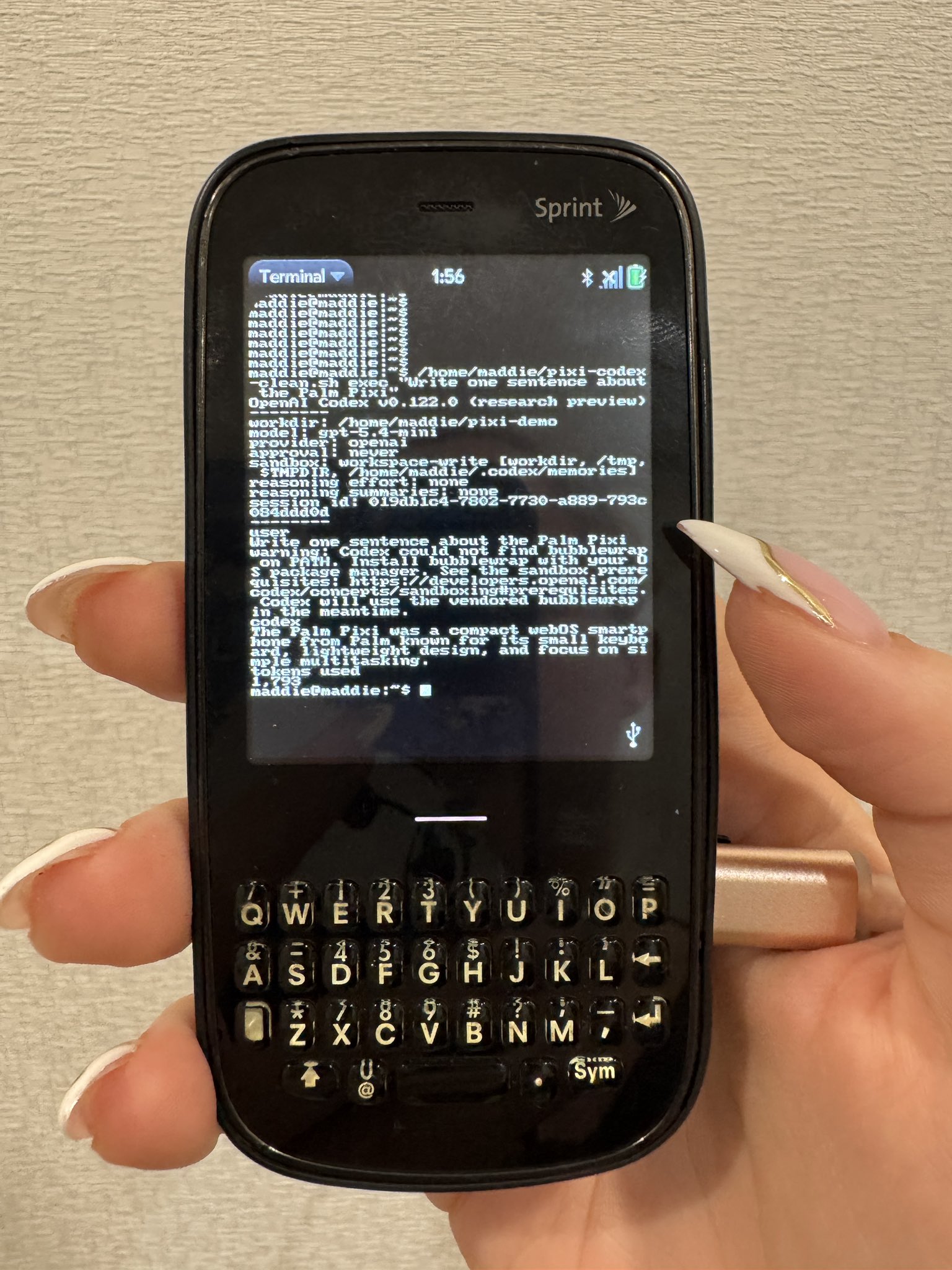
Codex on my first smartphone, a 2009 Palm Pixi! Here’s how: Enabled Developer Mode on the Palm Pixi and got root shell access from the Mac using a modern community novacom workaround instead of the original broken Palm installer. Discovered direct Pixi -> USBnet -> macOS networking was unreliable on modern macOS, so pivoted to an Ubuntu ARM VM in UTM running on the Mac mini. Installed Codex CLI inside Ubuntu, created a Pixi-friendly launcher, and verified Codex worked there first. Passed the Pixi’s USB connection through to the Ubuntu VM and configured a private USB network between the Pixi and Ubuntu. Manually installed Preware and Terminal on the Pixi by pushing .ipk packages over novacom. Manually unpacked old Optware/OpenSSH/Dropbear packages on the Pixi to get a working SSH client. Set up a separate legacy SSH daemon on Ubuntu. SSHed from the Palm Pixi into Ubuntu.
Codex on Palm Pixi
Codex on a 2009 Palm Pixi

Codex on a Game Boy emulator

April 22, 2026 / @maddiedreese

Codex on a Game Boy emulator

Sneak peek of Codex on a Game Boy emulator! Here’s the breakdown so far: Started by making the Game Boy emulator act like a remote screen and keyboard for Codex, while the real Codex CLI keeps running on my Mac. Three parts: a custom Game Boy program; a modified SameBoy (Game Boy emulator) bridge so the emulator can talk to the Mac; a host program that launches Codex and reads its terminal output. The first idea was to squeeze the normal Codex terminal UI into the Game Boy screen, but it was too small and hard to read. Changed approaches and made a custom Game Boy version of the Codex home screen instead, using the same information and general layout but redesigned for the tiny display. Connected input both ways, so typing in the SameBoy window sends keystrokes back to the real Codex process on the Mac. Improved the look so it feels more a terminal running Codex. Reduced screen flashing by avoiding unnecessary redraws. Sped up updates by sending small “only what changed” packets from the Mac instead of resending the whole screen every time. Tried a more advanced Game Boy-side partial redraw system too, but it wasn’t reliable yet, so the current version keeps the safer renderer and only uses the faster smaller updates for transport.
Codex on a Game Boy emulator

Transformer language model on a Game Boy Color

May 10, 2026 / @maddiedreese

Transformer language model on a Game Boy Color

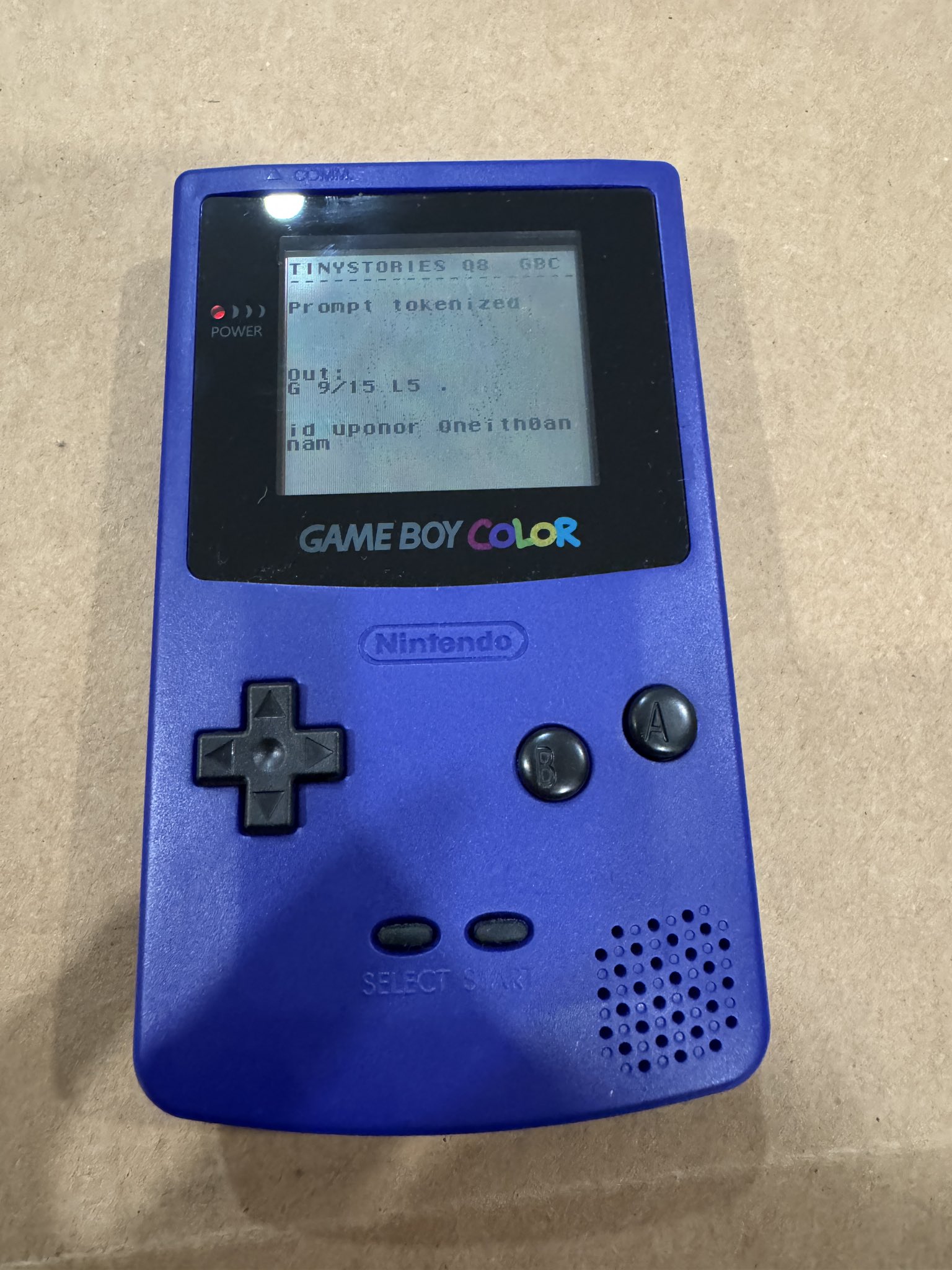
I got a real transformer language model running locally on a stock Game Boy Color (thanks Codex)! No phone, PC, Wi-Fi, link cable, or cloud inference. The cartridge boots a ROM, and the GBC runs the model itself. The model is @karpathy’s TinyStories-260K, converted to INT8 weights with fixed-point math so it can run without floating point. Built with GBDK-2020 as an MBC5 Game Boy ROM. The model weights live in bank-switched cartridge ROM. Prompt entry happens on-device with the D-pad/buttons and an on-screen keyboard. The prompt is tokenized on the Game Boy, then the ROM runs transformer prefill + autoregressive generation. The KV cache is stored in cartridge SRAM, because the GBC’s work RAM is tiny. It is extremely slow, and the output is gibberish because the math is heavily quantized/approximated, but the core thing works! Hardware: stock Game Boy Color + EZ Flash Junior + microSD. No soldering, no internal mods.
GitHub: TinyStories-260K running locally on a stock Game Boy Color. This is a proof-of-concept GBDK-2020 ROM that runs a quantized transformer language model on the Game Boy Color CPU. Prompt entry happens on the handheld with the D-pad/buttons and an on-screen keyboard. The ROM tokenizes the prompt, runs transformer prefill, then autoregressively generates a short continuation. What works includes desktop FP32 reference runner, desktop row-wise INT8/Q8 packer and zero-float Q8 runner, GBC ROM with the Q8 model embedded as MBC5 bank-switched cartridge data, on-device BPE tokenization, integer/fixed-point transformer inference, cartridge SRAM KV cache, on-screen keyboard, and runtime progress markers.
Transformer language model running locally on a stock Game Boy Color
Transformer language model on a Game Boy Color

Awards

2025 / Hackathon

1st Place Winner - Replayio Vibe Coding Contest

Replayio Vibe Coding Contest

Won 1st place in the Replayio Vibe Coding Contest, by building a full doctor's office application in an hour.

2025 / Hackathon

2nd Place Winner - MyNotSpace

Contra YouWare Challenge

A pixel-perfect recreation of MySpace, but this time you can vibe code your profile! Won 2nd place and $2,500 in the Contra YouWare Challenge.

mynotspace.com

2025 / Hackathon

1st Place Winner - Sticky

Anything $5k Weekend Hackathon

Won first place for creating Sticky, a digital cork board application for organizing thoughts and ideas.

stickynotes.created.app

2025 / Hackathon

1st Place Winner - Not Drive

Lovable Ditto Hackathon

Won first place in the Lovable Ditto Hackathon for creating an innovative file storage solution.

not-drive.lovable.app

2025 / Special Recognition

Best Use of Toolhouse

Lovable Ditto Hackathon

Recognized for creative and practical application of Toolhouse to find real examples of documents online.

not-drive.lovable.app

Experience

2013 - 2022

Content Creator & Public Face

Family Travel & Lifestyle Blog

  • Produced written, video, and social content for brand partnerships and advertising campaigns.
  • Served as on-camera host during events and press trips; delivered talks and represented the blog publicly.
  • Engaged daily with fans, strengthening community loyalty and driving traffic to monetized content.

June 2017 - Jan 2022

Community Manager

Sale Pros Corp.

  • Scaled and ran the “Start a Blogging Business” Facebook group; scaled membership from 0 -> 212 K active members.
  • Converted engagement into revenue, maintaining 5 K+ concurrent paying members in high ticket premium programs.
  • Led daily moderation, live Q&As, and structured learning tracks that increased retention and course completions.

Jan 2023 - October 2025

Co-Runner & Mentor

Land Conquest - Land Investing Skool Group

  • Co-managed a 5.5 K-member land-investing community; plan content calendar, livestreams, and discussion prompts.
  • Lead additional paid high ticket sub-groups as mentor and community lead, providing weekly guidance to aspiring investors.

Jan 2022 - Oct 2025

Investment Manager

Reelvest Properties - Land Investment

  • Led every land deal from first look to resale.

2022 - 2024

Founder

Pine Street Properties - Land Investment

  • Co-owned land investment company focused on strategic property development and investment opportunities.

2025 - Present

Co-founder and Advisor

Sunland America

  • Early-stage utility-scale battery storage development company focused on sustainable energy solutions.

Since August 2025

Hackathons

4x hackathon winner

  • 4x hackathon winner since August 2025.

2025 - 2026

Contract Positions

Various contract positions

  • Various contract positions throughout 2025 and 2026.

Contact

Work With Me

Contact me for collaborations, sponsorships, events, content, community work, or strange and delightful AI/hardware projects.