I built Tacket because I kept running into an annoying workflow problem.
I would have a useful conversation with ChatGPT, Claude, Gemini, Codex, or whatever tool I happened to be using that day. A week later, I would want one detail from it: a decision, a code snippet, a bug explanation, a name we settled on, whatever.
Then I would have to remember where the conversation happened.
Was it ChatGPT? Claude? Gemini? Codex? Claude Code?
Part of this is truly just where AI tools are right now. Everything’s still changing quickly, and different tools are still better for different jobs. I use different models and surfaces depending on what I’m doing, and I’m definitely sure I’m not the only person whose useful context is now spread across a handful of chats instead of one place.
Copying and pasting the conversation somewhere works, obviously, but it’s cumbersome. Remembering which tool had which thread is also cumbersome. Tacket is for reducing that friction.
It is specifically not a second brain. I do not want another place that tries to organize my life, infer meaning from everything, or turn my work into a dashboard.
Tacket is deliberately much narrower than that: save AI chats locally, search them later, and keep the actual transcript in files I can inspect!
The first release is a Mac app and a Chrome extension.
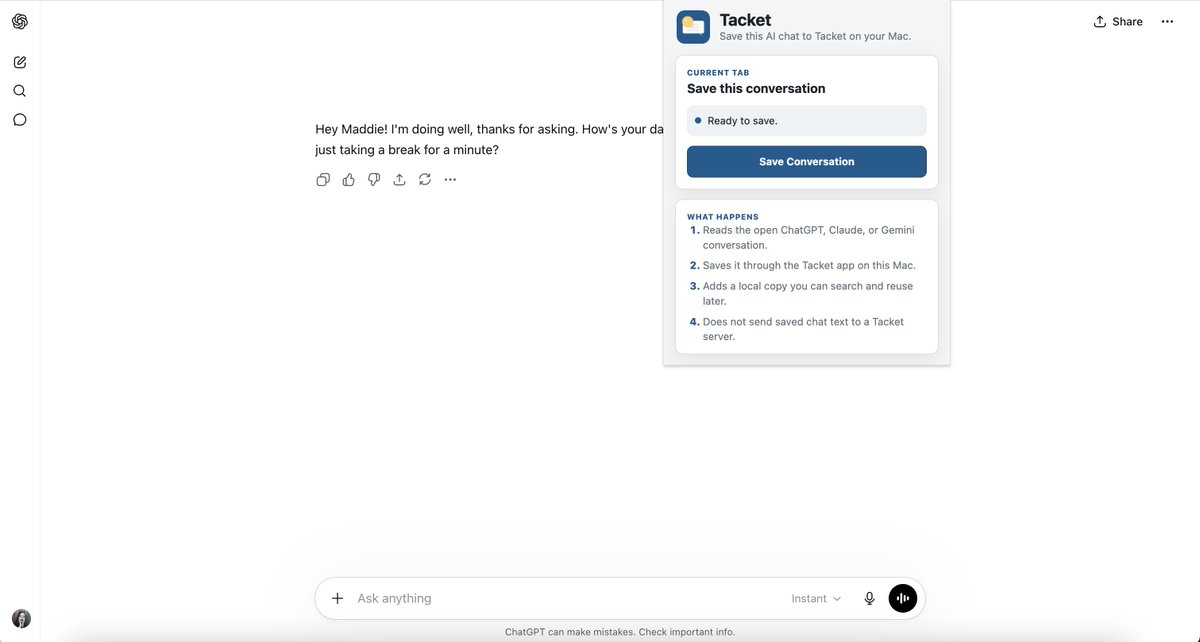
The Chrome extension saves supported browser chats from ChatGPT, Claude, and Gemini. You open a thread, click the extension, and save the conversation into Tacket.
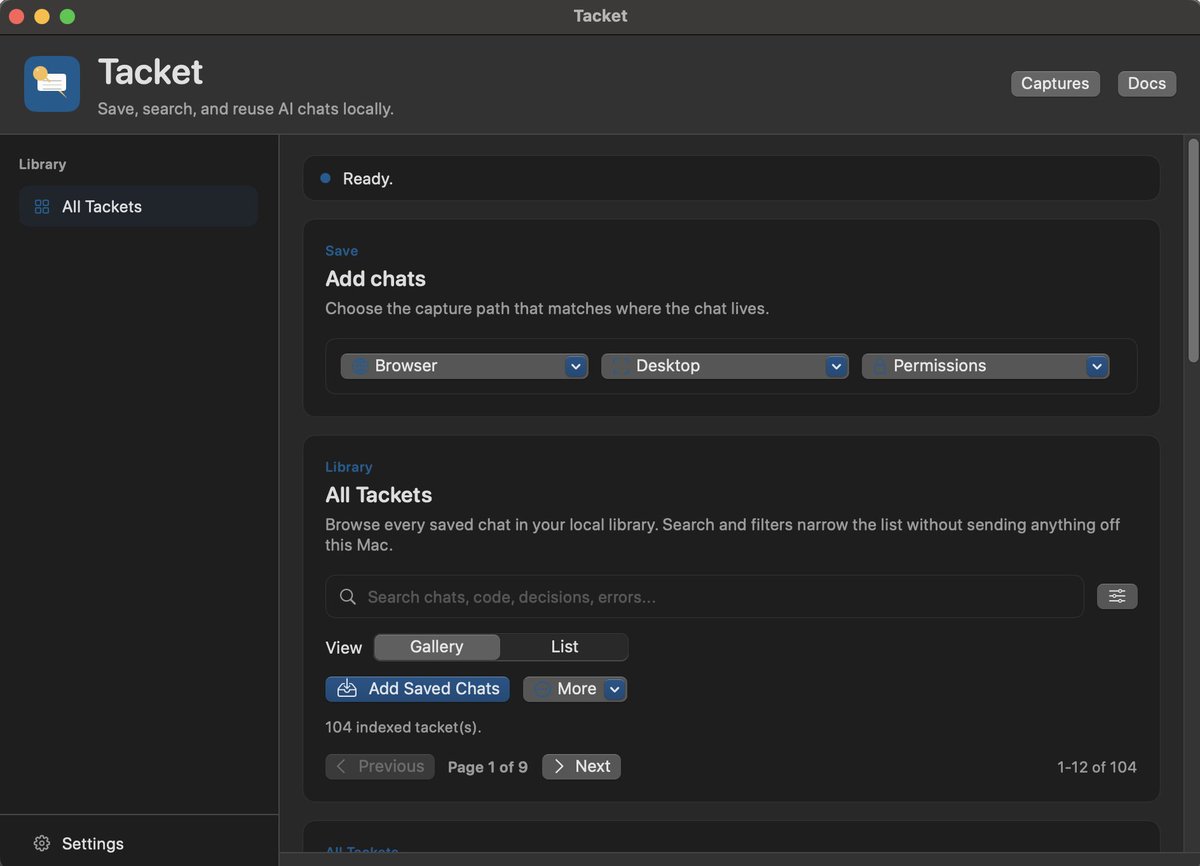
The Mac app is the local library. It stores saved chats, lets you add folders to the index, imports chats from supported desktop AI apps through a reviewed capture flow, lets you search, and opens the underlying files.
That’s the shape of the app right now: local capture, reviewed import, local files, local search.
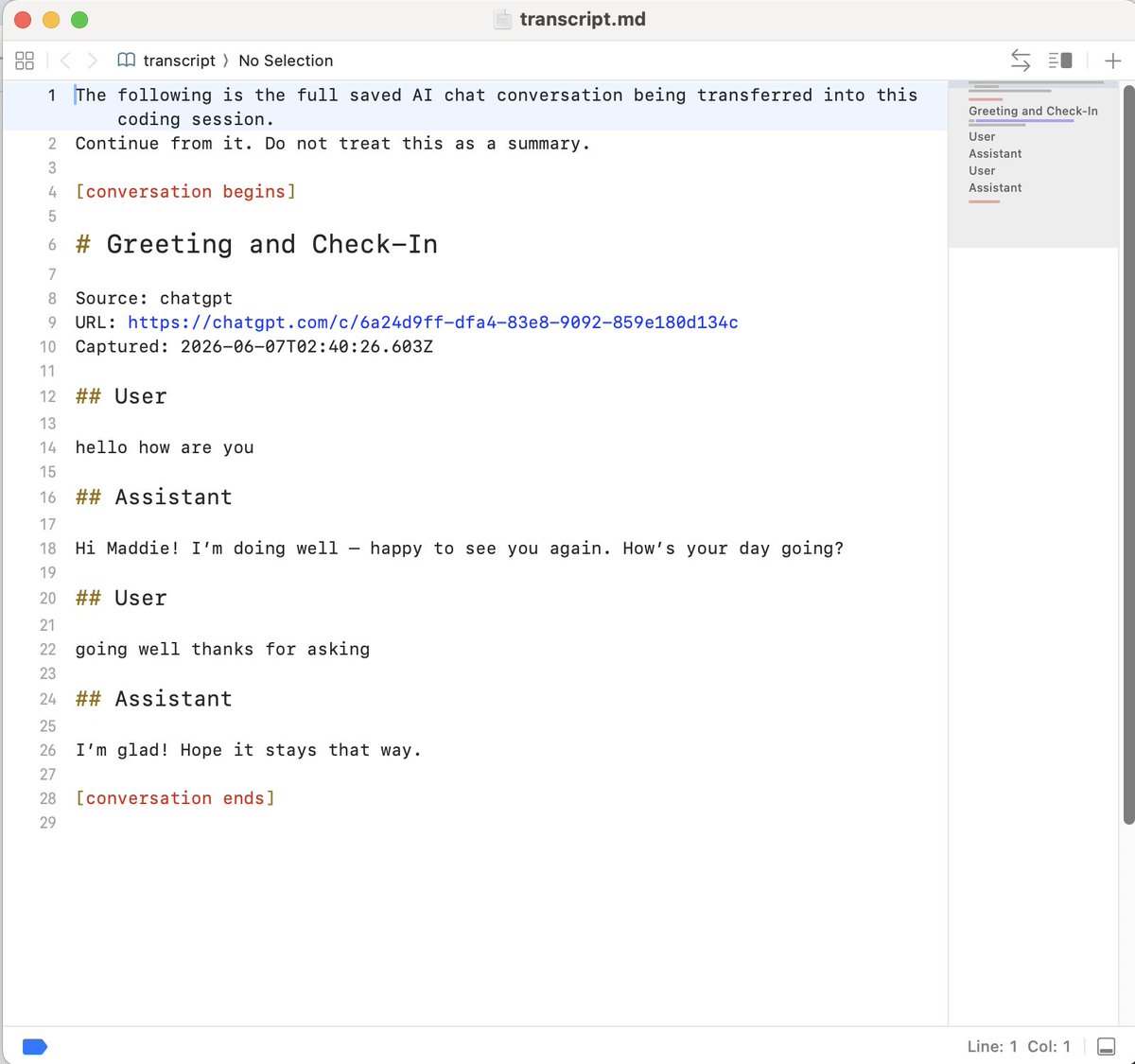
I wanted the saved thing to be as boring and understandable as possible, so each saved chat becomes a ".tacket" folder.
Inside that folder are normal files:
- "transcript.md"
- "messages.jsonl"
- "manifest.json"
- "attachments/"
- "targets/"
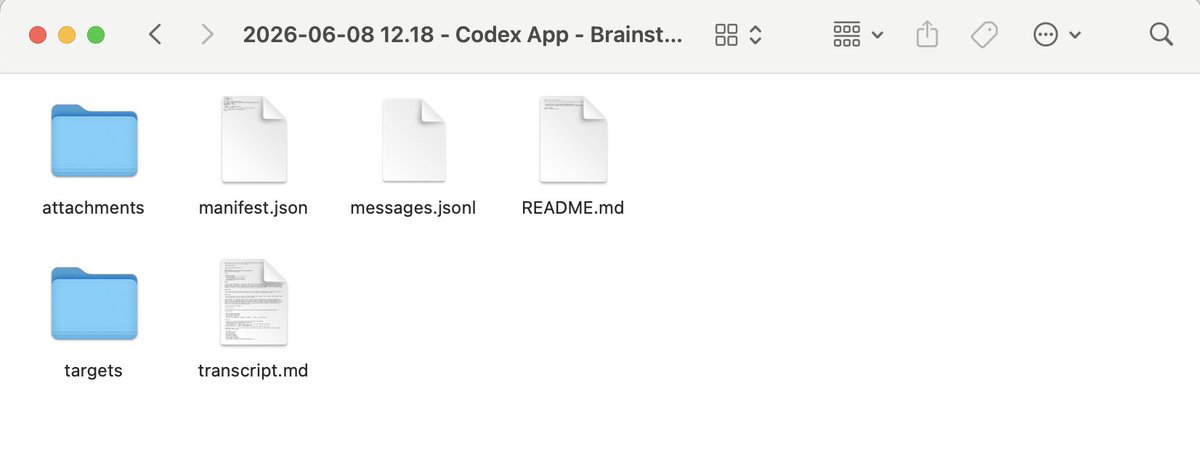
The transcript is readable Markdown, the JSONL keeps the structured messages, the manifest has the metadata.
You can open the folder, and read the transcript. You can move it, back it up, delete it, or ignore Tacket entirely and still have the file. You can do whatever you want with it!
The search side is also intentionally plain:
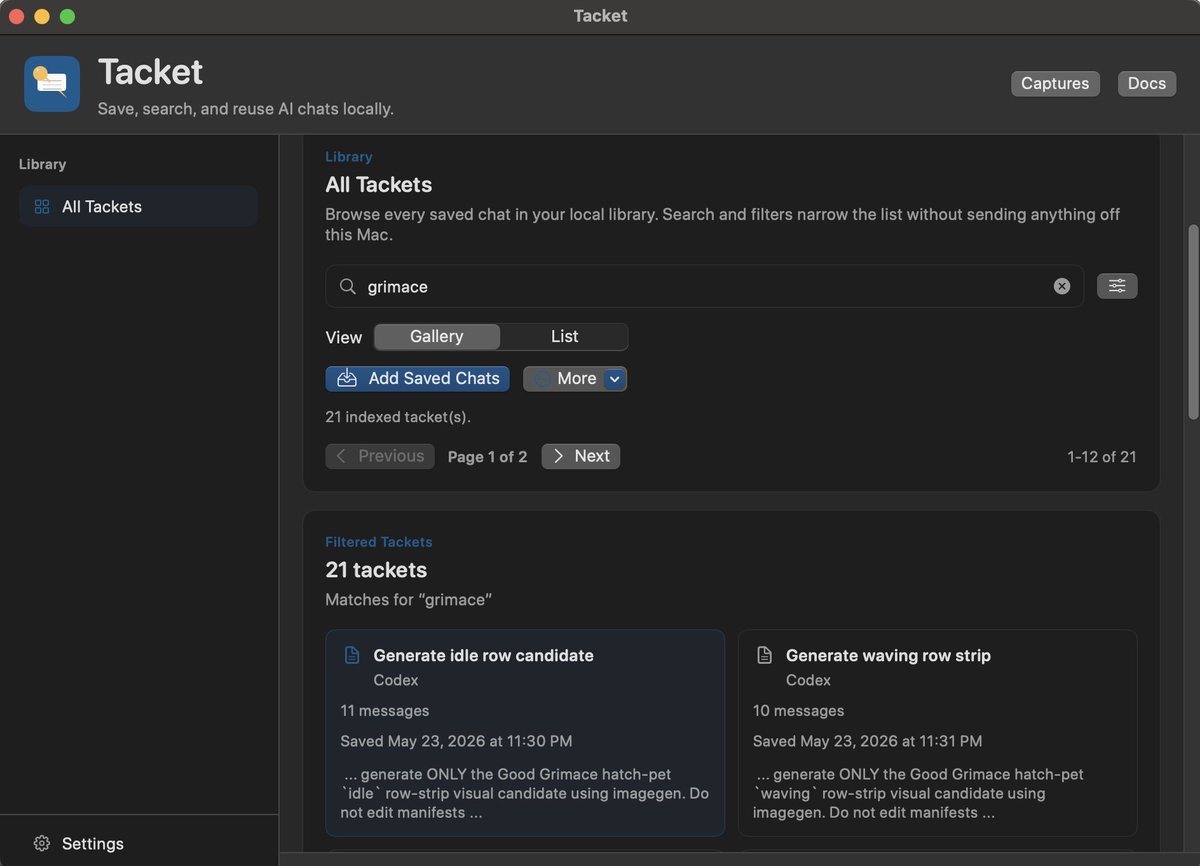
Tacket indexes the saved chats you add to the library. You can search exact phrases, all terms, or any term. You can search the title or the transcript. You can filter by source or message role.
The important part is where that happens: on your Mac.
Tacket does not send saved chat text to me (that would be crazy). There are no Tacket accounts. There is no Tacket server receiving your transcripts. There aren’t any analytics. There are no embeddings. There is absolutely no summarization step. Tacket is not calling a model to understand your saved chats.
It’s just indexing local files so you can find them again!
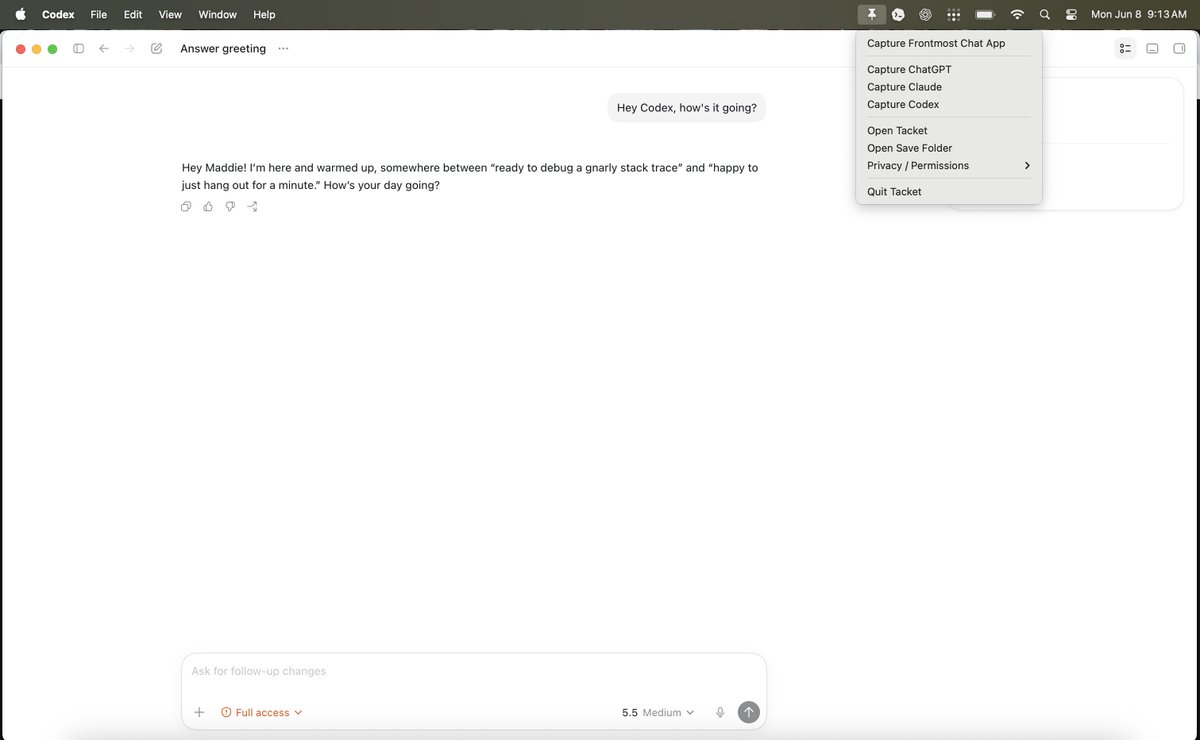
The app can also import chats from supported desktop AI apps. The app uses local session transcripts, with on-device OCR (plus a review process) as a fallback.
This is super important to me because obviously browser history is only one part of the problem. A lot of useful conversations now happen in desktop apps and coding tools (I use Codex every day). If the point is “where did I have that conversation?”, Tacket needs to care about more than one surface.
The current release is pretty early, so I want to be clear about what works now and what is still coming.
What works now:
- Saving supported browser chats from ChatGPT, Claude, and Gemini with the Chrome extension.
- Importing supported desktop AI app chats.
- Storing chats as local ".tacket" folders.
- Adding saved chats to the Mac app library.
- Searching and filtering the local library.
- Opening and inspecting the saved files.
- Copying saved transcripts to the clipboard with one click from the Mac app.
In the pipeline:
- Windows support.
- A transfer flow for sending a saved full transcript back into Codex or Claude Code, without using the clipboard.
- Bulk import of chat threads.
- Projects
That second piece is the reason the "targets/" folder exists, but I don’t want to overstate it yet. The goal is to reuse the full transcript later without turning it into a summary first.
Tacket is available for macOS now! I hope you like it :)
Install:
- Download "Tacket.dmg" from the latest GitHub release: https://github.com/maddiedreese/tacket/releases/latest
- Open the DMG and drag Tacket into Applications.
- Open Tacket.
- Go to Settings and click Install Local Connector.
- Add the Chrome extension: https://chromewebstore.google.com/detail/tacket/cbpgfpcajomllnfoigagibafblmnbbdh
Source: https://github.com/maddiedreese/tacket
Privacy: https://tacket.dev/privacy.html
Chrome extension: https://chromewebstore.google.com/detail/tacket/cbpgfpcajomllnfoigagibafblmnbbdh
Tacket is free and open source (and always will be)!
Mostly, it is a small local tool for a small local problem: I had the conversation, I want to save it, and later I want to find the actual things that were said.